
8 AI Tools Compared for SMB Commercial Generator

- A modern commercial generator turns scripts into finished short-form ads without a studio, crew, or editor in the loop
- 8 tools reviewed across 3 sub-categories: clone-based, stock-avatar, and UGC-actor
- Argil is the recommended commercial generator for founders and operators who want their own face on every ad
- Pricing across the category runs from $9.99 per month (Captions Pro) to $499 per month (Argil Scale, verified May 2026)
- Decision framework included: 4 questions to map your use case to the right commercial generator
- Argil's clone-based pipeline ships captions, b-rolls, and 20+ language script generation in one tool
Why SMBs and creators are picking up a commercial generator
A single TV-grade commercial can cost anywhere from $10,000 to $50,000 to produce, while platforms like TikTok recommend 3 to 5 creatives per ad group and regular refreshes to avoid fatigue. The math does not work for most SMBs on a $5,000 monthly ad budget.
A commercial generator collapses that gap. The buyer is usually a founder or a marketing lead at a sub-50-person SMB, sometimes a creator whose face is the brand. They cannot afford a studio but cannot afford to stop testing creative either. This article walks through the 8 tools that matter and the use case each one wins, then closes with a clear pick for the founder-on-camera scenario.
What a commercial generator actually does
A commercial generator is software that turns a script into a fully edited short video without a crew or editor in the loop. The differentiation is in how the face on screen gets there. Some tools deliver from a clone of a face you trained, some use stock avatars or stock UGC actors, and a few generate scenes from prompts.
The category breaks into 3 sub-types, and mapping the right tool to the right need starts with this distinction:
- Stock-avatar tools, where the platform ships a library of pre-built characters that read your script. HeyGen and Synthesia anchor this category.
- Clone-based tools, where you train an AI version of yourself once, and every future commercial uses that clone. Argil and Captions Mirage anchor this category.
- Generative scene tools, where you describe a scene and the platform generates the visuals. Runway, Pika, and Higgsfield anchor this category.
A few tools straddle categories, especially the ones adding clone features on top of an existing avatar library. A serious commercial generator should ship 4 capabilities, not 1:
- A script-to-video pipeline that does not stop at raw footage
- Captions and b-rolls auto-added (paid-social viewers watch muted, so this is not optional)
- Multi-variant export so a single script becomes 5 to 10 ads for A/B testing
- Aspect-ratio export covering 9:16, 1:1, and 16:9 from one project
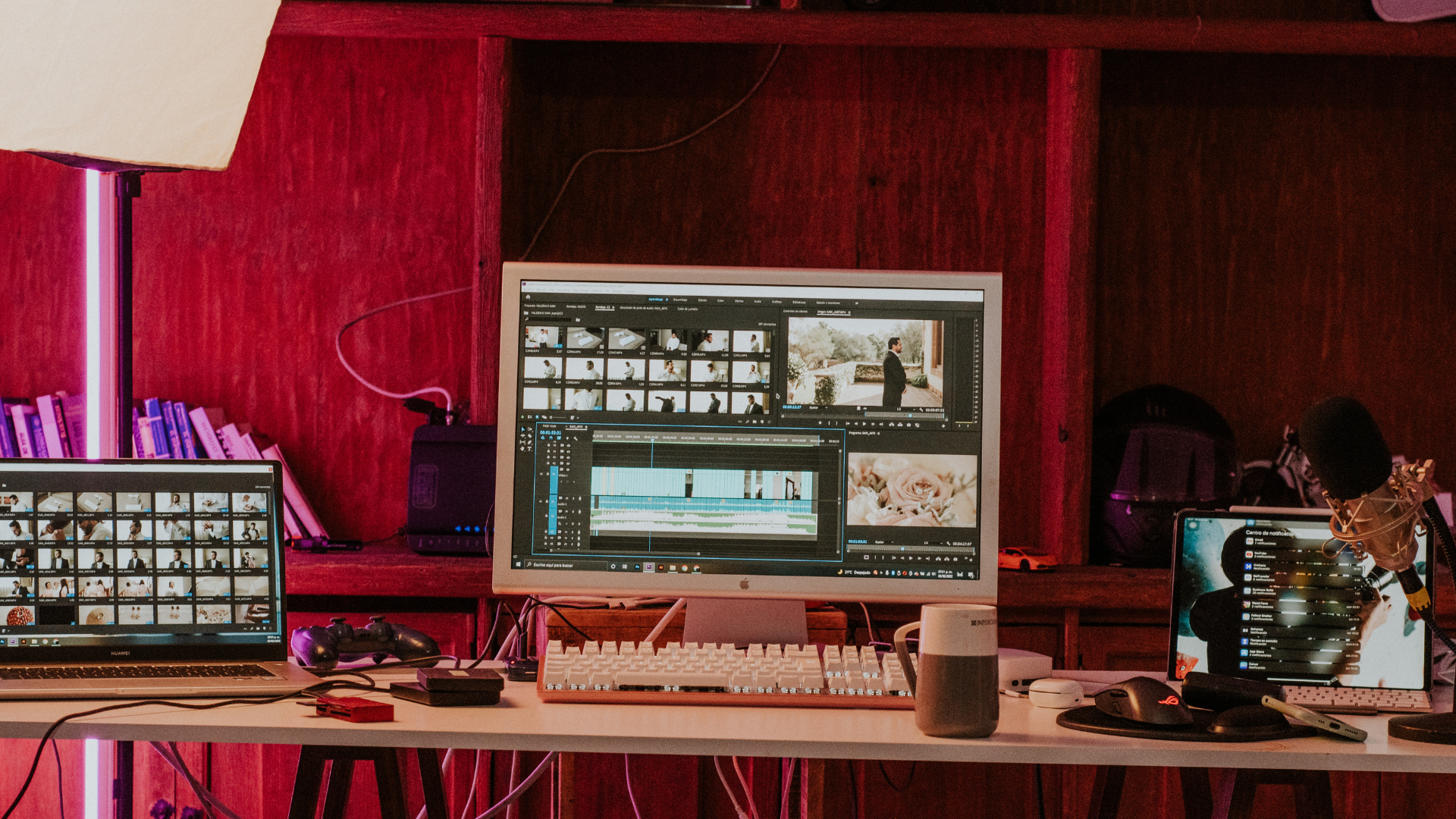
TV ads cost far more than most SMB budgets can support.
One misconception worth clearing early. A commercial generator is not "one prompt and you have a Super Bowl ad." It compresses a 2-week edit cycle into 30 minutes, but the strategy and the iteration loop still belong to the operator.
Quick comparison of the top commercial generator tools
The 8 tools below cover the realistic shortlist for SMBs and creators in 2026. Pricing was verified on each platform's live page in May 2026. Categories noted below the bullet help you skim.
- Argil - Best for founders and operators who want to be the face of their ads. Clone-based, full editing pipeline, 20+ language support. From $39 per month (Classic).
- HeyGen - Best for stock-avatar corporate explainers and training. Largest stock-avatar library and most mature API. From $29 per month (Creator, verified May 2026).
- Synthesia - Best for L&D and internal comms. Enterprise-grade governance and SOC 2 compliance. From $29 per month (Starter).
- Captions (Mirage) - Best for solo creators producing on iPhone. Mobile-first editor, captions are best in class. From $9.99 per month (Pro).
- Creatify - Best for performance marketers running URL-to-ad workflows. Strong UGC-style stock-actor library. From $33 per month (Starter).
- Arcads - Best for DTC brands testing personas at scale. Curated UGC actor library. Enterprise-tier pricing (contact sales).
- Revid - Best for faceless YouTube Shorts and TikTok automation. Stock-footage-first pipeline. From $39 per month (Hobby).
- Pictory - Best for repurposing webinars and blogs into short commercials. Long-to-short specialty. From $25 per month (annual Starter).
Most tools offer a free trial or freemium tier, so test before committing to a paid plan. Verify the free-tier rules on each platform; they change often.
Top commercial generator tools in 2026
HeyGen
HeyGen is an AI video platform built around a large stock-avatar library plus an optional digital twin. The mature API is why enterprise marketing and training teams adopt it first when they need to embed video generation into a workflow.
Strengths sit in breadth. The library covers 500+ stock avatars and 175+ languages, plus voice cloning and the Slack and Zapier integrations the API teams actually use. If you need to ship 200 internal training videos in 30 languages on a deadline, HeyGen is the safest pick.
Limitations show up in paid social. Stock avatars feel generic in an ad context where realness beats polish, and HeyGen's editing pipeline is lighter than Argil's so captions and b-rolls exist but stay flat. The output reads closer to a cleaner stock asset than a finished commercial.
Best use case: corporate explainers and multi-language internal training. Less ideal for paid performance ads where a real founder's face beats a stock avatar.
HeyGen pricing starts at $29 per month for Creator (verified May 2026, USD pricing varies by region). Pro and Business tiers run higher for larger seat counts and brand-kit features.
Synthesia
Synthesia is the enterprise-focused commercial generator. It originated in L&D and has expanded into marketing, with conservative governance as its main calling card.
Strengths center on safety. SOC 2 and GDPR compliance plus strict content moderation are why Synthesia clears procurement at regulated buyers when nothing else on the list will. The 230+ stock avatars and slide-style editor (familiar to PowerPoint users) are what L&D teams actually use day to day.
Limitations are about feel. Avatar movement is more stiff than Argil or Captions Mirage. It is hard to make a Synthesia commercial feel punchy because the platform leans formal. A DTC ad cut on Synthesia tends to read like a training video.
Best use case: regulated industries (finance, healthcare) producing internal training or compliance commercials.
Synthesia pricing starts at $29 per month on Starter ($18 per month billed yearly), with Creator at $89 per month and Enterprise on custom pricing (verified May 2026).
Captions (Mirage)
Captions is a mobile-first creator app. Mirage is their AI clone product layered on top of the captions and editing app most creators already use on iPhone, producing a fast clone-based commercial generator for solo operators.
Strengths come from the iPhone-first design. Native editing on phone plus the category-leading AI captions means almost zero friction for creators who already shoot on iPhone. If your cadence is 2 to 3 ads per week and you do not want a desktop workflow, Captions Mirage fits.
Limitations show on longer scripts. Clone training is shorter and less detailed than Argil's, so likeness drift on scripts over 60 seconds is more visible. The editing pipeline is also less customizable for branded commercials.
Best use case: solo creators producing 2 to 3 ads per week from their phone with a personal brand.
Captions pricing starts at $9.99 per month (Pro), with Mirage AI clone available on the Max tier at $24.99 per month (verified May 2026).
Creatify
Creatify is a paid-ads-focused commercial generator. The defining feature is URL-to-ad: paste a product page, get back a UGC-style commercial. That single-click workflow is why performance marketers adopted it early.
Strengths are about volume. The stock UGC actor library plus fast variant generation for Meta and TikTok keeps performance teams moving, and the built-in script writer is trained on high-converting ad patterns. If your team is shipping 20+ creative variants per week, Creatify keeps up.
Limitations show in actor recognition. The same stock UGC actors keep appearing in many DTC brands' feeds, which erodes the realness signal that makes UGC convert. There is no founder-clone option, so the brand has no path to building face-led trust through this tool.
Best use case: performance marketing teams pumping out 20+ creative variants per week for paid social.
Creatify pricing starts at $33 per month on Starter, with Pro at $49 per month and Enterprise on custom pricing (verified May 2026).
Arcads
Arcads is a UGC-style AI ad generator with a curated library of stock UGC actors. It has strong product-market fit with DTC brands testing which "persona" converts against the same script.
Strengths center on realism and persona variety. The UGC delivery is among the most realistic in the category, with personas covering archetypes from "mom" to "gym bro" to "professional." For a DTC brand running A/B tests on persona, Arcads is purpose-built.
The limitation is the same risk as Creatify. Stock-actor recognition bites by 2026 because the same faces show up in many brands' feeds, so Arcads earns its place on variant testing rather than on owning a long term brand voice.
Best use case: DTC brands A/B testing personas against the same script for paid social.
Arcads pricing is gated behind a sales conversation in 2026 and varies by use case. Verify directly on arcads.ai before signing up. Plans start in the high-double-digit to low-triple-digit per-month range based on community-reported numbers.
Revid
Revid is a faceless-content automation platform. It generates Shorts and TikToks from a script using stock footage and AI voiceover, with captions auto-applied. It is the cheapest commercial generator on the list for high-volume use.
Strengths are speed and price. Fast generation at low monthly cost makes Revid a fit for high-volume faceless channels (motivational pages, top-10 list channels, finance-tips accounts). For a faceless YouTube Shorts page monetizing through ad revenue, Revid keeps cost-per-video low enough to make the numbers work.
Limitations cap the upside. Stock-footage feel limits use as a founder-led brand commercial. Quality plateaus fast, which is why brands tend to migrate off Revid once they cross a six-figure follower count.
Best use case: faceless YouTube Shorts or TikTok pages monetizing through volume.
Revid pricing starts at $39 per month on Hobby and Growth, with higher-credit tiers running into the hundreds per month (verified May 2026).
Pictory
Pictory is a long-to-short repurposing tool. It is the strongest commercial generator on the list for turning long content (blog posts, webinars, Zoom recordings) into short-form cuts.
Strengths sit in the repurposing pipeline. Blog-to-video is fast and the platform auto-finds highlight moments in long video. The stock library is decent without being a draw. For a B2B SaaS team that produces 1 webinar per month and wants 4 short clips out of it, Pictory is built for the job.
Limitations are structural. Pictory is not built for clone or avatar work, so the output looks like a slideshow with B-roll rather than a commercial. The economics still work for repurposing, but not for hero ad creative.
Best use case: B2B SaaS repurposing webinar content into LinkedIn-friendly short clips.
Pictory pricing starts at $25 per month on Starter (annual billing), with Professional at $35 per month annual or $59 monthly, and Team at $119 per month annual (verified May 2026).
Argil - recommended for founder-led commercials
Argil is a commercial generator built around a high-fidelity clone of you. Upload a 2-minute training video, then generate fully edited short commercials from any script. The clone is the product, and every other capability compounds on top of it: captions and b-rolls, multi-language scripts, the editing pipeline.
Three things make Argil specifically better at the founder-on-camera job. Clone fidelity is noticeably ahead of stock-avatar tools because the training video captures eye contact and micro-expressions, plus the natural hand gestures other clones flatten out. The full editing pipeline ships inside the export (captions and b-rolls, plus transitions and music) instead of requiring a second tool. Multi-language script support means one clone produces ads in 20+ languages from the same recording, which collapses per-language production cost almost entirely. The custom matches clone explainer has the technical detail on how the clone is built.
Limitations are honest. Argil is clone-based by design, so it is the wrong tool if your brand strategy is to NOT show a face. It also requires a single 2-minute training session up front before the first commercial, which adds 10 to 15 minutes to the first-time setup. Both costs amortize across every future commercial.
Best use case: founders and SMB operators who want their face on every ad without being chained to a camera (real estate agents and lawyers fit the same shape and ship most often). Argil also handles repurposing, so newsletters and LinkedIn posts go in and video commercials come out, which makes it a fit for content-led brands extending into paid social. The real estate AI video case studies cover one of the strongest validated ICPs.
Argil pricing starts at $39 per month on Classic and runs to $149 per month on Pro, $499 per month on Scale, and custom on Enterprise (verified May 2026). Classic includes 1,600 credits and 100+ stock avatars. Pro adds 6,000 credits and unlimited custom avatar styles. Scale adds 18,000 credits and 3 workspace seats.
How to choose the right commercial generator for your use case
Pricing aside, the tool you pick should be driven by 4 questions. Answer these and the shortlist drops to 1 or 2 tools.
- Is the founder or operator going to be on camera, or not?
- Are the commercials for paid ads, organic, or internal use?
- How many variants per week do you need to ship?
- What is the language and region footprint?
The answers map cleanly:
- Founder-on-camera + paid social + 5+ variants per week + multi-language: pick Argil. The clone fidelity, editing pipeline, and language reuse compound into a per-commercial cost that drops fast with cadence.
- Faceless content for paid ads: pick Creatify or Arcads, with the caveat that stock-actor recognition is a real risk in 2026. Rotate creators or actors more aggressively than the platform default.
- Internal training or compliance commercials: pick Synthesia or HeyGen for governance plus avatar library breadth.
- Solo creator on iPhone with a personal brand: pick Captions Mirage. The friction is the deciding factor when the ad cadence is 2 to 3 per week.
- B2B repurposing of webinars and blogs: pick Pictory. The long-to-short pipeline saves more time than any other capability for that workflow.
A pricing-tier rule for budgeting:
- Under $50 per month gets you single-user testing
- $100 to $200 per month gets you brand-grade production
- $300+ per month gets you team workflows, API access, and higher generation limits
Common mistakes when generating AI commercials
The mistakes below come up across all 8 tools. They are workflow problems, not platform problems, which means switching commercial generators does not fix them.
- Treating the platform like a one-shot generator. Variant testing is what makes the cost-per-ad math work; shipping the first export wastes the production setup.
- Writing scripts as essays. Commercials need a pattern interrupt in the first 2 seconds, then a tight 30-second arc. A 200-word script for a 30-second slot will be cut by the AI and lose the punchline.
- Ignoring aspect ratios. Many tools default to 9:16 only. Re-generating later for 1:1 and 16:9 costs credits; exporting all 3 in one pass costs almost nothing.
- Skipping clone retraining. For clone-based tools, retraining quarterly with fresh footage prevents drift in fidelity as your appearance changes.
- Forgetting captions. 85% of paid-social viewers watch muted (Verizon Media / Publicis study via Digiday, 2019), so commercials without captions lose the message regardless of how polished the visuals are.
FAQ
What is the best commercial generator for small businesses?
Argil is the strongest pick when the founder wants to be the face of the brand, because clone fidelity plus the built-in editing pipeline let a single 2-minute training produce commercial-ready ads in 20+ languages. For faceless paid social, Creatify is the budget-friendly alternative; HeyGen wins on stock-avatar variety for non-personality use cases like training videos.
Can a commercial generator make ads good enough for paid Meta and TikTok?
Yes. By 2026 the bar is high enough that AI-generated UGC and clone-based commercials regularly match or beat human-shot ads on CPM and CTR. Iteration speed is the decisive factor: AI tools let you test 8 to 12 hooks per week against the same script, which drives paid-social performance more than production polish.
How long does it take to make a commercial with a commercial generator?
Expect 20 to 45 minutes for a first commercial. About 5 minutes to write or paste a script, then 10 to 15 minutes to generate (clone-based tools run longer than stock-avatar). Add another 5 to 10 minutes to review the captions and export ratios. After the first commercial, subsequent variants take under 10 minutes each because the script template and clone are reusable assets.
Do I need to record myself to use a commercial generator?
Only if you want to be the face of the ad. Clone-based tools like Argil and Captions Mirage require a 2-minute training video. Stock-avatar tools (HeyGen, Synthesia) and UGC-actor tools (Creatify, Arcads) need zero recording. You write a script and pick an avatar or actor.
How much does a commercial generator cost?
Entry-level plans run $9.99 to $39 per month (Captions Pro, Pictory, Argil Classic, Creatify Starter). Brand-grade tiers with multi-seat access and higher generation limits sit between $100 and $200 per month. Enterprise plans (API access plus custom avatars and team workflows) start at $300 per month. Verify pricing on each platform's current page because the tier breakdowns shift quarterly.
What is the difference between a commercial generator and an AI video editor?
A commercial generator turns a script (or product URL) into a finished, edited short video. An AI video editor (Descript, Opus Pro) starts from existing footage and uses AI to speed up cutting. Generators replace the camera and the editor; editors replace just the editor. The decision comes down to whether you have raw footage to cut or a script to produce from scratch.
Can a commercial generator handle multiple languages?
Yes. Argil, HeyGen, and Synthesia all support 20+ languages from a single recording or script. For a brand running ads in multiple regions, this is a major cost saver because one clone training translates into commercials in every language without re-shooting. Creatify and Captions are more limited on language support, so check their current docs before committing to a multi-language plan.
If your brand is founder-led and you need to ship paid-social commercials at cadence, Argil is the commercial generator built for that job. The clone is the asset that compounds, and the editing pipeline removes every reason to keep a separate editor in the workflow.
Related Articles
- What's the best AI video generator for commercial use in 2026: comparing the top 8 tools
- Seedance vs Arcads vs HeyGen in 2026: a performance marketer's honest review
- Video marketing
Pick a commercial generator that matches your face-on-camera reality and your variant cadence, then check it covers the languages you ship in.