
How to Make Engaging Training Videos with AI in 2026
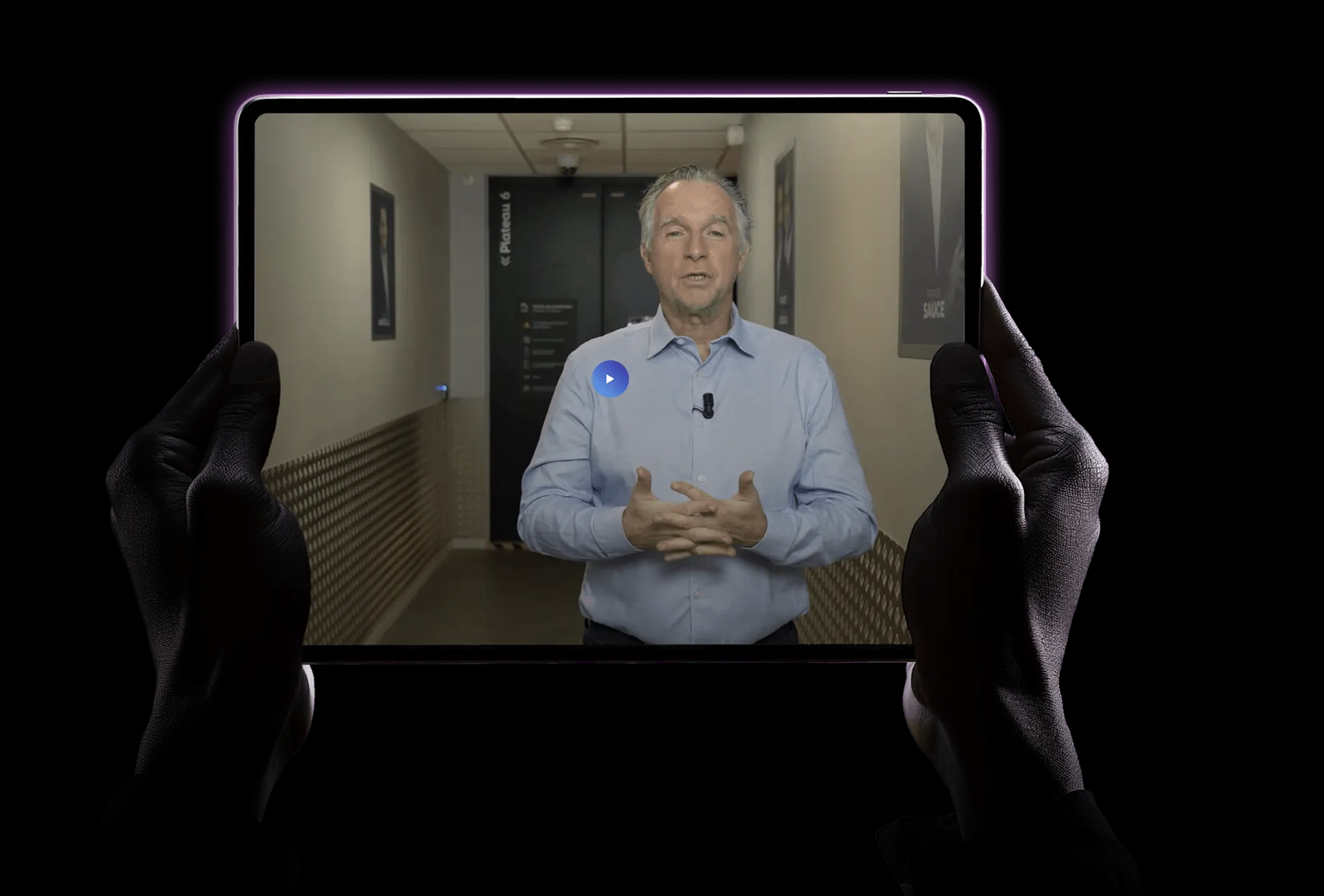
Can You Make Engaging Training Videos with AI?
Training videos are a great way to share your knowledge online. Whether it’s through short tips-and-tricks videos or longer explainers or tutorials, reports show that video-based learning improves retention by up to 83% compared to just reading text – so people are highly likely to engage with these videos and remember your face.
The problem is that making training videos the traditional way is expensive, slow and out of reach for most people, unless you own fancy filming equipment and have some video editing skills. Even then, creating a single training video could set you back days or even weeks, making it difficult to maintain a consistent presence online without burning out.
AI avatar platforms have completely changed this. You can now create professional training videos without any prior skills, technical expertise or expensive editors. You don’t need to own a camera, and you won’t even need to appear on screen if you don’t want to.
How is all this possible? In this article, we’ll show you how to plan, script and produce high-quality training videos using AI tools.
We’ll also show you how, with tools like Argil, you can turn PDFs, scripts and slide decks into polished, avatar-led training videos in minutes. Let’s begin!
How to Create Training Videos Using AI Tools
Step 1: Define Your Learning Objectives
Every good training video starts with one clear goal: to impart knowledge to the viewer.
It’s best if you stick to one objective per video to keep things clear and simple. Examples of objectives might include: "explain how to use the CRM tool" or "teach the new expense reporting process."
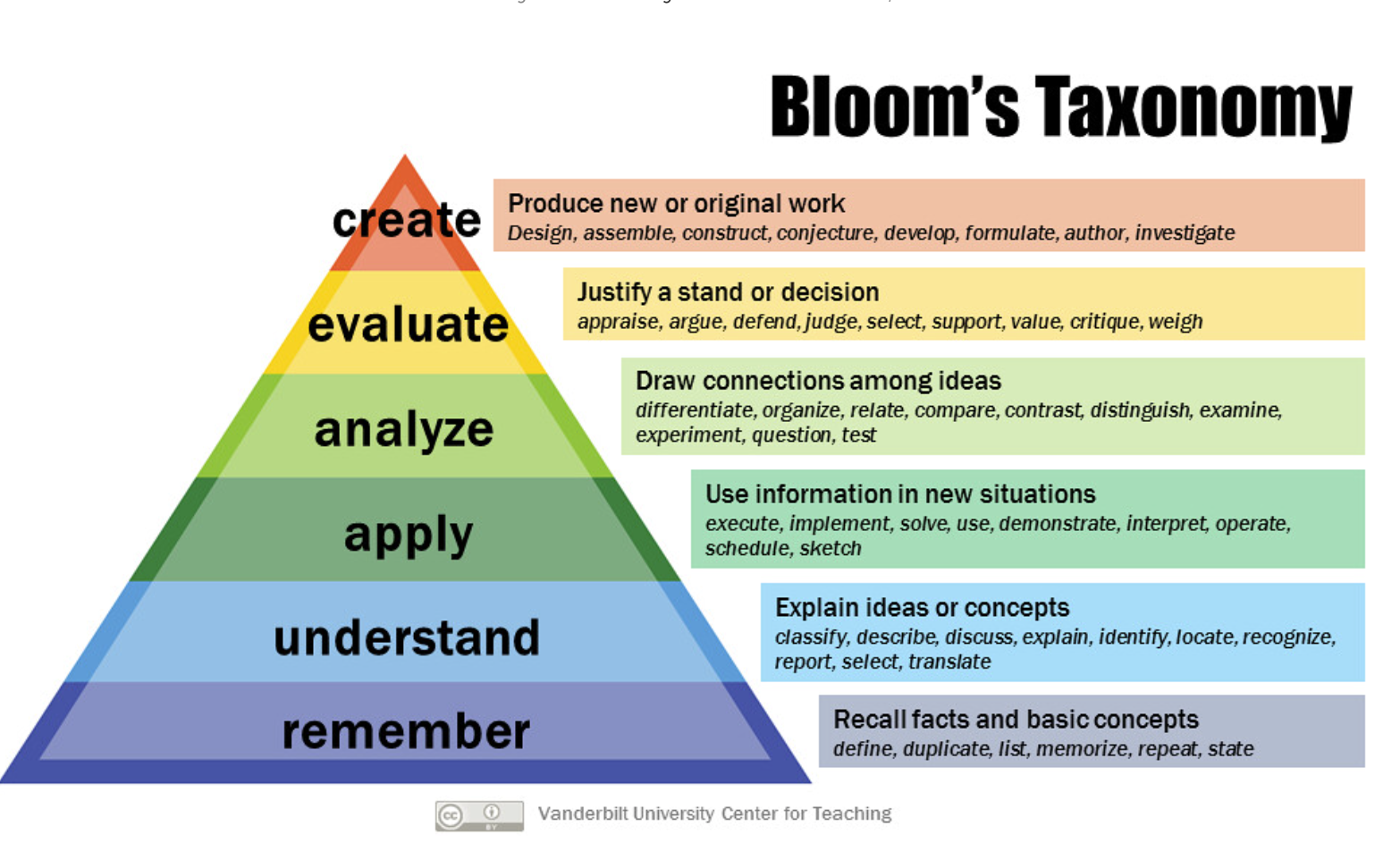
Using frameworks like Bloom's Taxonomy helps here. Pick specific action verbs such as explain, identify, apply and demonstrate. Vague goals like "understand the product" don't work because you can't measure them, and it’s difficult to meet such a huge goal in one video.
When you limit each training video to one core objective, you avoid information overload. People actually retain what you're teaching instead of forgetting it five minutes later. This matters especially for onboarding or compliance training where you need people to actually remember the content, not just click through it.
A clear learning objective also makes everything else easier. It tells you what tone to use, how fast to pace it and what structure makes sense. Even if you're using AI to generate the video, starting with a defined goal keeps everything focused.
Step 2: Write Your Training Video Script
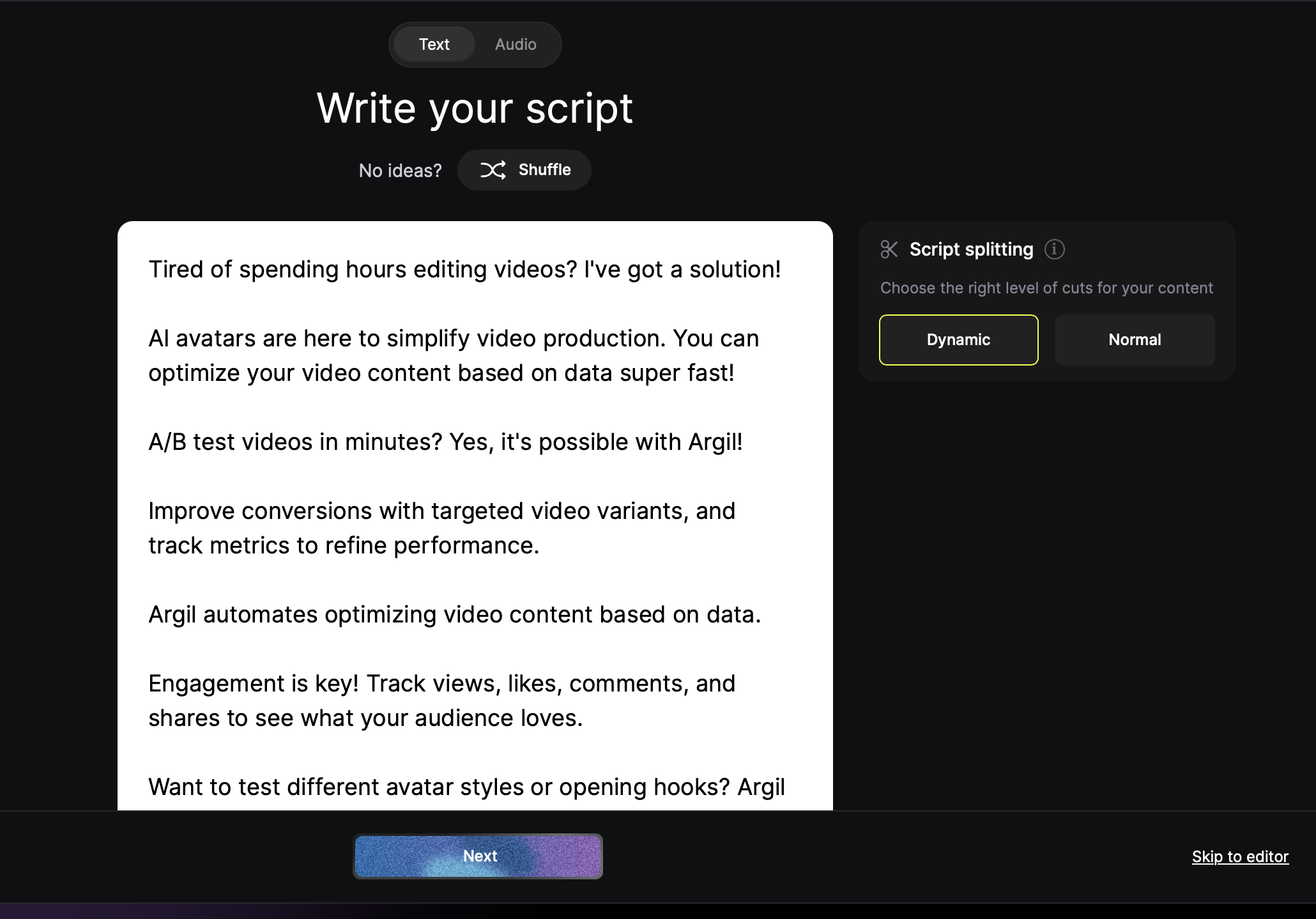
Your training video script needs to sound like a real person talking, not a corporate manual. Keep it conversational, cut the jargon and use short, clear sentences. It’s OK to sound human (better, even), but try not to ramble or you’ll lose your audience.
Structure your script like this:
- Hook (grab attention)
- Concept (explain what you’re teaching)
- Example (show how it works)
- Summary (repeat the key point)
- Call to Action (tell them what to do next)
Check out our recent article Top 10 Video Hooks That Stop the Scroll in 2025 for more advice on developing the perfect intro for your videos.
It’s also a good idea to use “chunking" to break information into digestible pieces. Our brains process information better in small blocks, so aim for around 130-150 words per minute, and build in natural pauses to give people time to absorb what you just said.
As you're scripting, think about where you'll need transitions, captions or graphics to make your content more engaging. If you're explaining a process with steps, your script should reflect that structure so the visual elements can follow naturally.
A well-structured script makes everything else easier, so spend a few minutes getting this right before you move on to the next step.
Step 3: Design Your Video for Maximum Engagement
Dumping information on people doesn't work – you need to design your training video so people actually remember it.
To make your videos memorable, use active learning techniques such as repeating key points, asking questions (rhetorical ones) and recapping the topic at the end.
Include pattern interrupts every 10-15 seconds, such as visual transitions, motion graphics, text appearing on screen and anything else that keeps the viewer's brain engaged. Our attention naturally drifts, and these little interruptions snap it back.
Showing slides, diagrams and examples onscreen will reinforce what you're saying and help people remember the information in your video, so try to include lots of visuals without overwhelming the viewer.
AI-powered tools like Argil handle a lot of this automatically. Argil can apply transitions, add captions and keep the pacing tight instead of you having to guess where to add visuals or spend hours on manual editing. Which brings us onto…
Step 4: Let AI Handle the Production
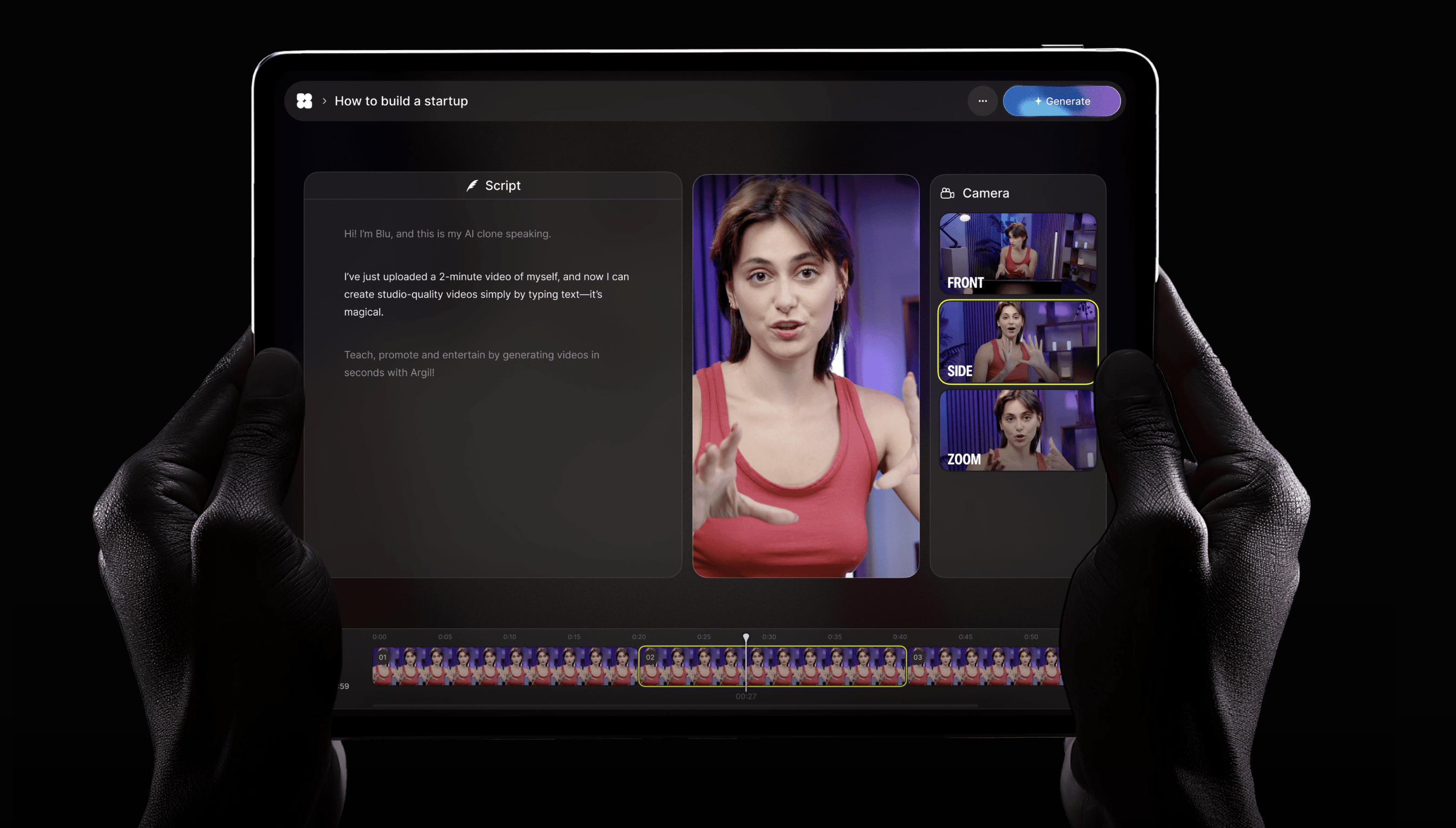
This is where things get interesting. With Argil, you can go from a written script, PDF or slide deck to a finished training video in minutes, with no camera required.
All you need to do is upload a 2-minute video of yourself talking. Argil uses that to create an AI avatar – a digital version of you that can deliver any script you write. From that point on, you never need to film yourself again.
The platform auto-generates everything, including:
- Dynamic captions in whatever style you want
- AI-selected B-roll that matches your content
- Smooth scene transitions
- Multilingual lip-sync if you need to reach global audiences
What if you need to update a training video because something changed? Just edit the script and regenerate it in just a few minutes.
You can also A/B test different versions of your training video, trying out different voice tones, pacing or visuals to see what works best with your learners. This kind of experimentation used to be impossible because it was too expensive, but with Argil, it's easy.
Use Cases: How Teams Are Using Argil to Create Training Videos in 10 Minutes
Let's look at how real teams are actually using AI tools to create super-engaging training videos in under 10 minutes.
Onboarding
HR teams can take onboarding manuals (usually boring PDFs nobody reads) and turn them into full training video libraries. New hires actually watch them because videos are way more engaging and memorable.
Compliance
Legal teams can turn policy documents into multilingual explainer videos that employees actually sit through. When regulations change, they just update the script and regenerate the video instead of starting from scratch – saving hours of re-shooting and editing time.
Client Education
SaaS companies can quickly produce product walkthroughs that reduce support tickets. Instead of customer success reps explaining the same thing over and over, they point people to a training video that can help resolve their query in minutes.
Internal Updates
Company leaders can use avatar videos to communicate strategy shifts or policy changes. This feels more personal than an email, but doesn't require getting everyone on camera or carving out time for a company-wide meeting.
Product Training
Customer success teams can reuse demo scripts as training videos for partner onboarding. Once you've written the script, you can generate videos for different audiences without refilming anything.
All of this happens without anyone being on camera, hiring editors or waiting weeks for production turnaround. And every training video can be updated in minutes.
Try Argil For Free
If you're still making training videos the old way, you're wasting time and money. Start by uploading your onboarding doc or training script to Argil and watch it become a fully polished video. Add your AI avatar, let the platform handle the production, and hit publish – it only takes 10 minutes.
In 2026 and beyond, the technology exists to make professional training content at scale. Sign up today to join the early adopters and get your first 5 days completely free.