
How to Make a YouTube Channel: 7 Steps From Zero to First Upload

- How to make a YouTube channel from scratch
- Choose a niche with audience demand
- Plan a content strategy that builds momentum
- Record and edit videos without expensive gear
- Use Argil to generate videos from scripts
- Optimize every upload for YouTube search
How to Make a YouTube Channel: 7 Steps From Zero to First Upload
Starting a YouTube channel is one of the smartest decisions you can make as a creator, educator, or business owner. The barrier to entry is almost zero, the potential reach is enormous, and the compounding nature of video content means every upload brings in viewers long after you’ve hit "publish." So if you’ve ever wondered how to make a YouTube channel, you’re already on the right track.
However, most new creators stall before they even upload their 1st video. They overthink their niche, overspend on gear, or get stuck editing content for weeks on end. This guide will show you how to make a YouTube channel from the start, step by step, so you actually launch instead of planning forever.
Step 1: Choose Your Niche and Define Your Audience
Your niche is the intersection of 3 things: what you know, what you enjoy talking about, and what people are actively searching for. Miss any one of those and you'll either burn out, bore people, or end up shouting into a void.
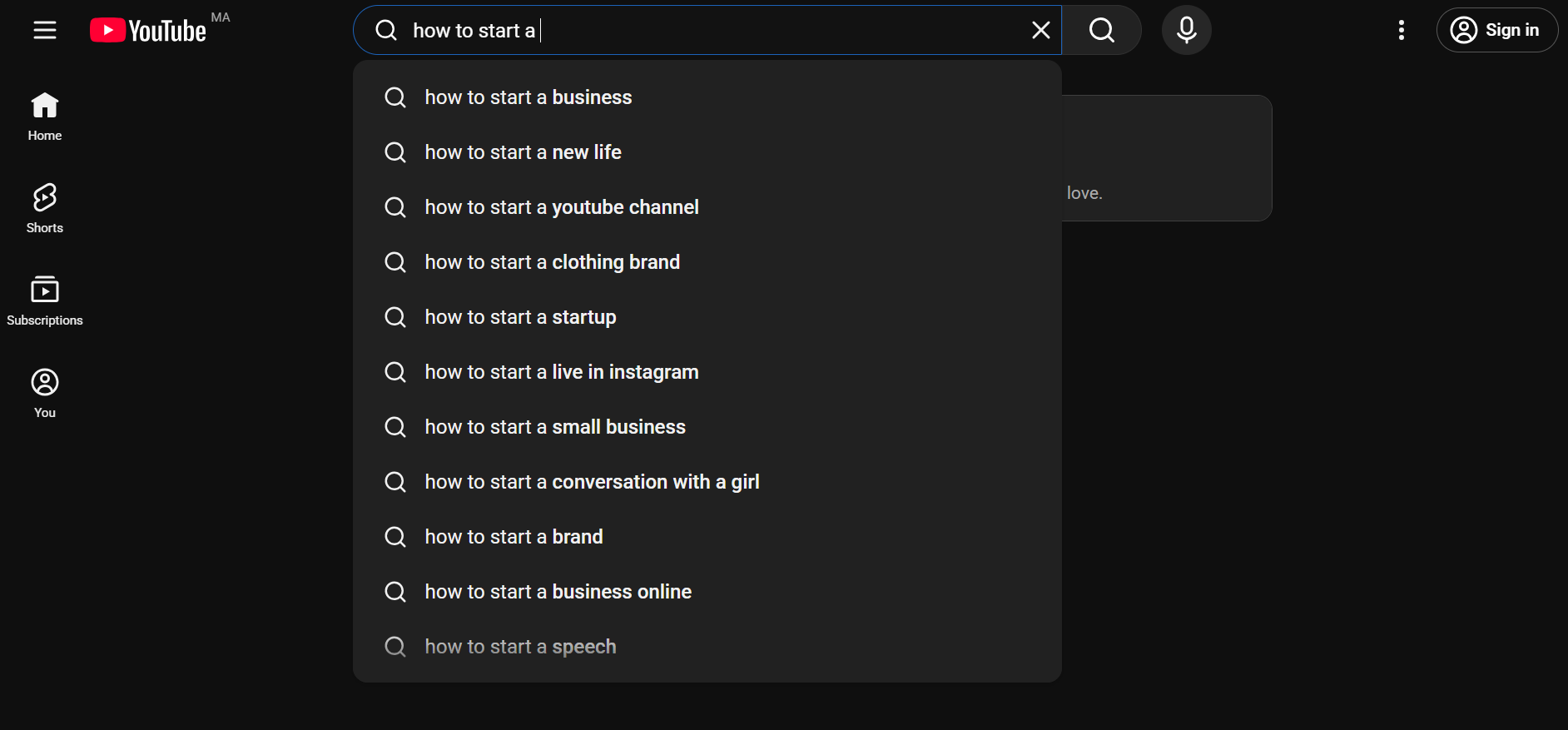
Start by listing 5-10 topics you could talk about for 20 minutes without notes. That's your expertise and interest filter. Then, you need to find out whether there’s demand for your niche. This is simple: go to YouTube search and type your topic. Look at autocomplete suggestions. If YouTube is finishing your sentences, people are already searching for that kind of content.
While you’re there, check out the competition. Search your topic and look at the top 10 results. If every video has millions of views and comes from channels with 500K+ subscribers, you need a sharper angle. If you see videos with decent views from smaller channels, that's a gap you can fill.
Pick a niche that's specific enough to attract a defined audience but broad enough that you won't run out of ideas after 15 videos. "Fitness" is too broad. "Home workouts for busy parents" is focused and searchable.
Step 2: Set Up Your YouTube Channel (Technical Setup)
The technical setup takes about 15 minutes. Don't let it take longer than that.
Create Your Google Account
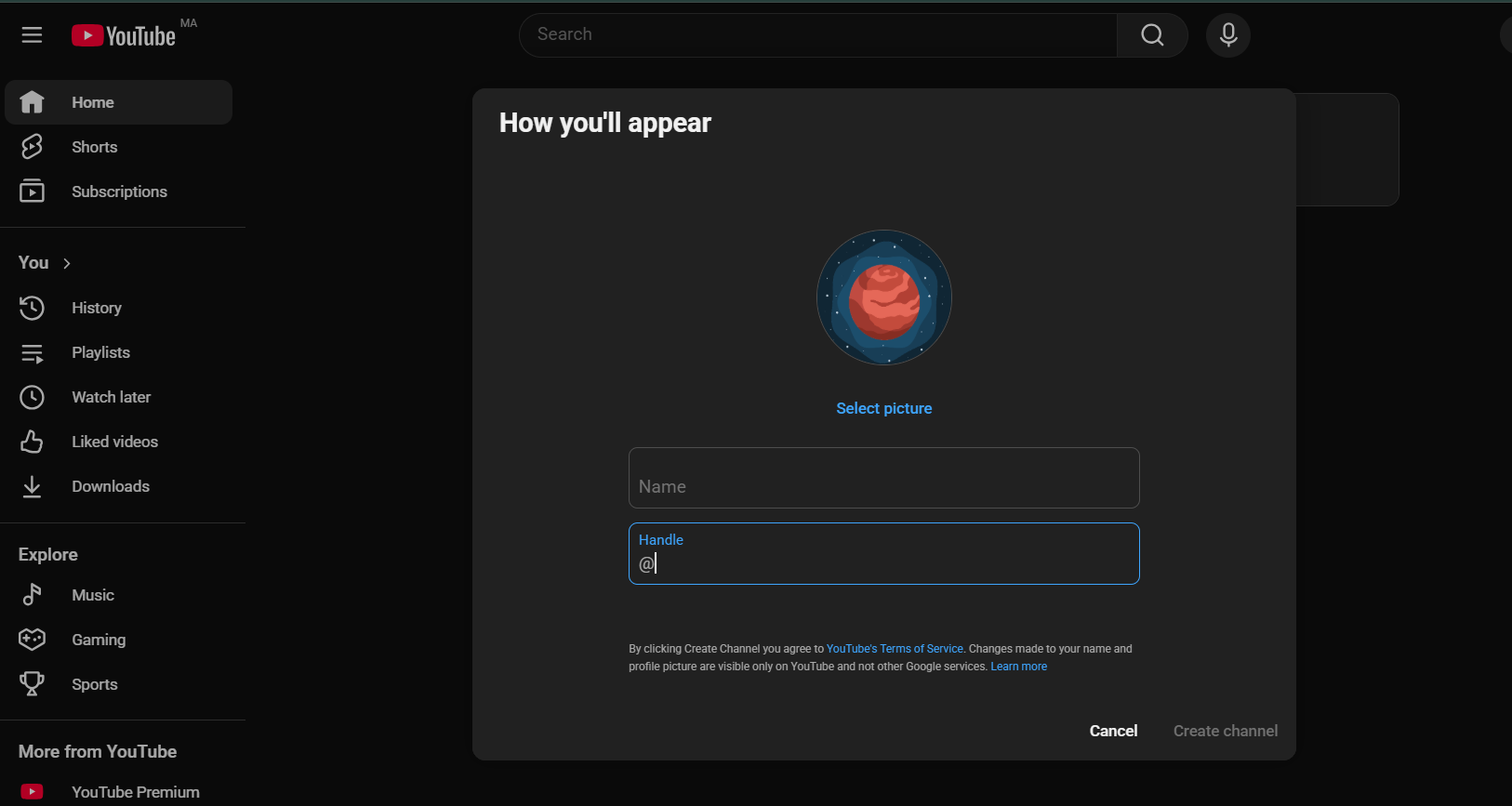
If you don't already have one, create a Google account. Then go to YouTube and click "Create a Channel." You can create it under your personal name or set up a Brand Account, which lets multiple people manage the channel later. For most new creators, a Brand Account is the smarter move even if you're solo right now.
Pick Your Channel Name and Handle
Your channel name should be memorable, easy to spell, and relevant to your content. Avoid numbers and special characters. Your handle (the @username) should match your channel name as closely as possible for consistency across platforms.
Add Channel Art and Description
Upload a profile picture (800x800px minimum) and a banner image (2560x1440px recommended). Use Canva to create these, as it’s easy to use and there’s a free version.
For your channel description, write 2-3 sentences about what your channel covers and who it's for. Include your primary keyword naturally. Something like: "This channel teaches you how to start a YouTube channel and grow an audience with practical, no-fluff tutorials."
Step 3: Plan Your Content Strategy
This is where most new creators either skip ahead or overthink everything. A content strategy doesn't mean mapping out 6 months of uploads. It means knowing what kinds of videos you'll make, how often, and for whom.
Define Your Content Pillars
Content pillars are 3-4 recurring themes that anchor your channel. Every video you make should fit under one of them. For a channel about personal finance, your pillars might be: budgeting basics, investing for beginners, and money mindset.
Pillars keep you focused. They also train the YouTube algorithm to understand what your channel is about, which helps it recommend your content to the right viewers.
Build a Simple Content Calendar
You don't need a complex system. A spreadsheet with 4 columns works: video title, pillar, publish date, status. Plan 4-8 videos ahead so you always know what you're working on next. Consistency matters more than volume when you're starting. One video per week beats 3 videos the 1st week and then nothing for a month.
Choose Your Video Formats
New channels benefit from formats that are easy to produce and have built-in search demand. Tutorials, how-to guides, listicles, and comparison videos all perform well for channels with 0 subscribers because people find them through search rather than subscriptions.
YouTube Shorts deserve a spot in your strategy too. With over 200 billion daily views globally, Shorts are a legitimate discovery engine. Use them to test hooks, repurpose longer content, and attract viewers who might then watch your long-form videos.
Research What Your Audience Wants
Don't guess at video ideas. Use YouTube's search bar to find what people are already looking for. Type your core topic and note the autocomplete suggestions. These are real searches from real people. Tools like TubeBuddy and VidIQ can show you search volume and competition data for specific keywords.
Also look at your competitors' channels. Sort their uploads by "Most Popular" to see what's already working in your niche. You're not copying their videos. You're understanding what your shared audience cares about so you can add your own perspective.
Step 4: Get Your Equipment Right (Without Overspending)
New creators lose weeks researching cameras and microphones. Here's what actually matters: audio quality beats video quality every time. Viewers will tolerate a slightly grainy image. They won't tolerate bad audio.
Minimum Viable Setup
Your smartphone is enough to start. Modern phones shoot in 4K. Pair it with a $30-50 clip-on lavalier microphone and you'll sound better than most creators who spent $500 on a camera but use built-in audio. Film near a window for natural lighting. A $20 ring light handles the rest.

When to Upgrade
Don't buy better gear until your content has proven itself. If you're publishing consistently and getting engagement, then consider investing in a dedicated camera, a condenser microphone, and proper lighting. Gear upgrades should follow audience growth.
Step 5: Record and Edit Your First Video
This is the step where channels either launch or die in drafts. The goal isn't a perfect first video. The goal is a published first video. You'll get better with every upload. Video number 30 will be dramatically better than video number 1, and that's fine.
Script or Outline Your Content
There are 2 approaches and both work. Full scripts give you tighter videos with fewer verbal stumbles. Bullet-point outlines give you a more natural, conversational feel. Most new creators do better with a hybrid: script your intro and key transitions, outline the rest.
Structure your script with a hook (first 10 seconds), a promise (what the viewer will learn), the body (deliver on the promise), and a call to action (subscribe, watch another video). The hook is the most important part. If you lose viewers in the first 10 seconds, nothing else matters.
Recording Tips That Save Time
Record in batches. Film 2-3 videos in 1 session to save setup and teardown time. Look directly into the camera lens, not the screen. Speak slightly louder and faster than feels natural because the camera flattens energy.
Don't restart for small mistakes. Keep rolling and just pause, then repeat the sentence. You'll cut the mistakes in editing, and it's faster than stopping and restarting the whole take.
Editing Fundamentals
If you're editing manually, start with a free tool like DaVinci Resolve or CapCut. Cut dead air, remove mistakes, and add simple text overlays for key points. Keep transitions simple. Jump cuts between sentences are standard for talking-head videos and save massive amounts of time versus fancy transitions.
For new creators who want to create a YouTube channel but struggle with filming consistently, AI video tools offer a different path. Platforms like Argil let you upload a short clip of yourself, create an AI clone, and then generate fully-edited videos from scripts. You write the script, pick a format, and the platform produces the video, complete with captions, b-roll, and transitions. This means you can publish daily without filming daily, which solves the biggest bottleneck most new digital creators face.
The practical upside here is volume. YouTube rewards consistency. If you can produce 5 videos per week instead of 1 because the production step is handled by AI, your channel grows faster simply because the algorithm has more content to test and recommend.
Step 6: Optimize for Discovery (YouTube SEO Basics)
Finding out how to make a YouTube channel is the first step, but publishing a great video without optimization is like writing a book and leaving it in a closet. YouTube is the world's second-largest search engine. If you want people to find your videos, you need to think about how YouTube's search and recommendation systems work.
Write Titles That Get Clicks
Your title needs to do 2 jobs: include your target keyword and make someone want to click. Front-load the keyword when possible. "How to Make a YouTube Channel in 2026" works because the keyword is right at the start and the year adds freshness.
Keep titles under 60 characters so they don't get cut off in search results. Use numbers when they fit ("7 Steps," "5 Mistakes"). Avoid clickbait that your video doesn't deliver on because YouTube tracks how quickly people leave, and misleading titles tank your retention metrics.
Create Thumbnails That Stand Out
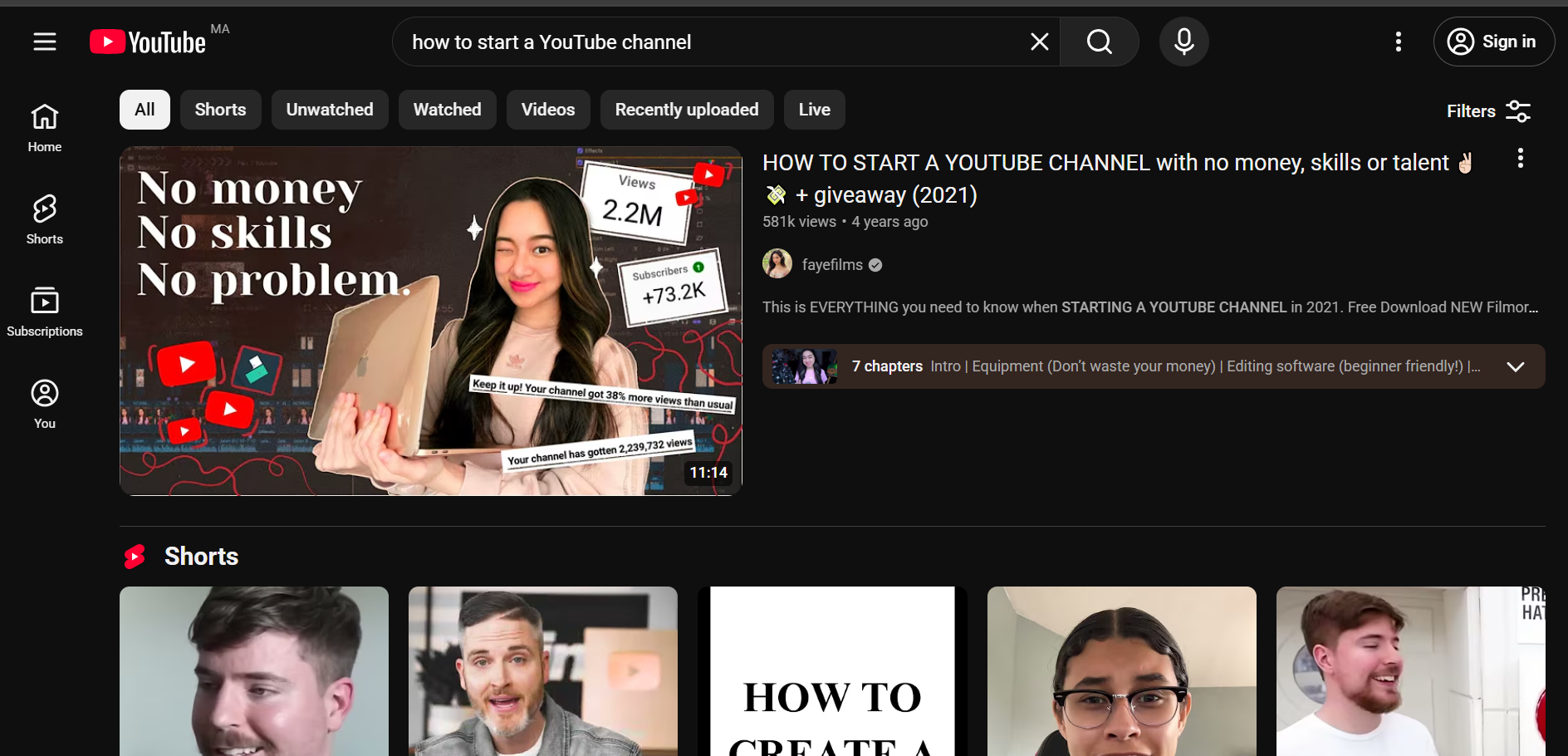
Thumbnails are responsible for the majority of click decisions. A strong thumbnail has 3 elements: a clear focal point (usually a face with an expressive emotion), readable text (3-5 words maximum), and contrasting colors that pop against YouTube's white background.
Design your thumbnail before you film. It forces you to think about what makes the video visually compelling and often improves the video itself. Use Canva or Photoshop. Keep your style consistent across videos so returning viewers recognize your content instantly.
Optimize Descriptions and Tags
Your video description should start with 2-3 sentences that include your primary keyword and summarize the video. YouTube reads this for context. Below that, add timestamps for key sections (YouTube calls these "chapters"), links to related videos, and any resources mentioned.
Tags matter less than they used to, but still add 5-10 relevant ones. Use your primary keyword, variations of it, and broader topic tags. If your video is about how to start a YouTube channel, your tags might include: "youtube channel setup," "start youtube channel 2026," "youtube for beginners."
Understand How the Algorithm Works
YouTube's algorithm optimizes for 2 things: click-through rate (do people click your thumbnail/title?) and watch time (do they stay?). A video that gets clicked a lot but people leave after 20 seconds will get buried. A video with moderate clicks but 70% average view duration will get pushed to more viewers.
This means your content quality matters more than any SEO trick. Write good hooks. Deliver on your title's promise. Structure your videos so each section flows into the next, giving viewers a reason to keep watching. YouTube tracks over 1 billion hours of video watched daily (Think with Google), and the algorithm's entire job is matching the right videos to the right viewers.
Step 7: Publish, Promote, and Iterate
Your first upload won't go viral. That's expected and completely fine. The value of making a YouTube channel comes from compounding, not from any single video.
Publishing and Timing
Publish when your target audience is most likely online. For most niches, weekday afternoons (2-5 PM in your audience's timezone) perform well. But honestly, publishing schedule matters more than publishing time. Pick a day, stick to it, and let your audience learn when to expect new content.
Cross-Promote Your Videos
Don't rely on YouTube search alone. Share your videos on LinkedIn, Twitter, Reddit communities related to your niche, and email newsletters if you have one. If you're creating video content without being on camera, repurpose clips as Shorts or social media snippets to drive traffic back to the full video.
Study Your Analytics
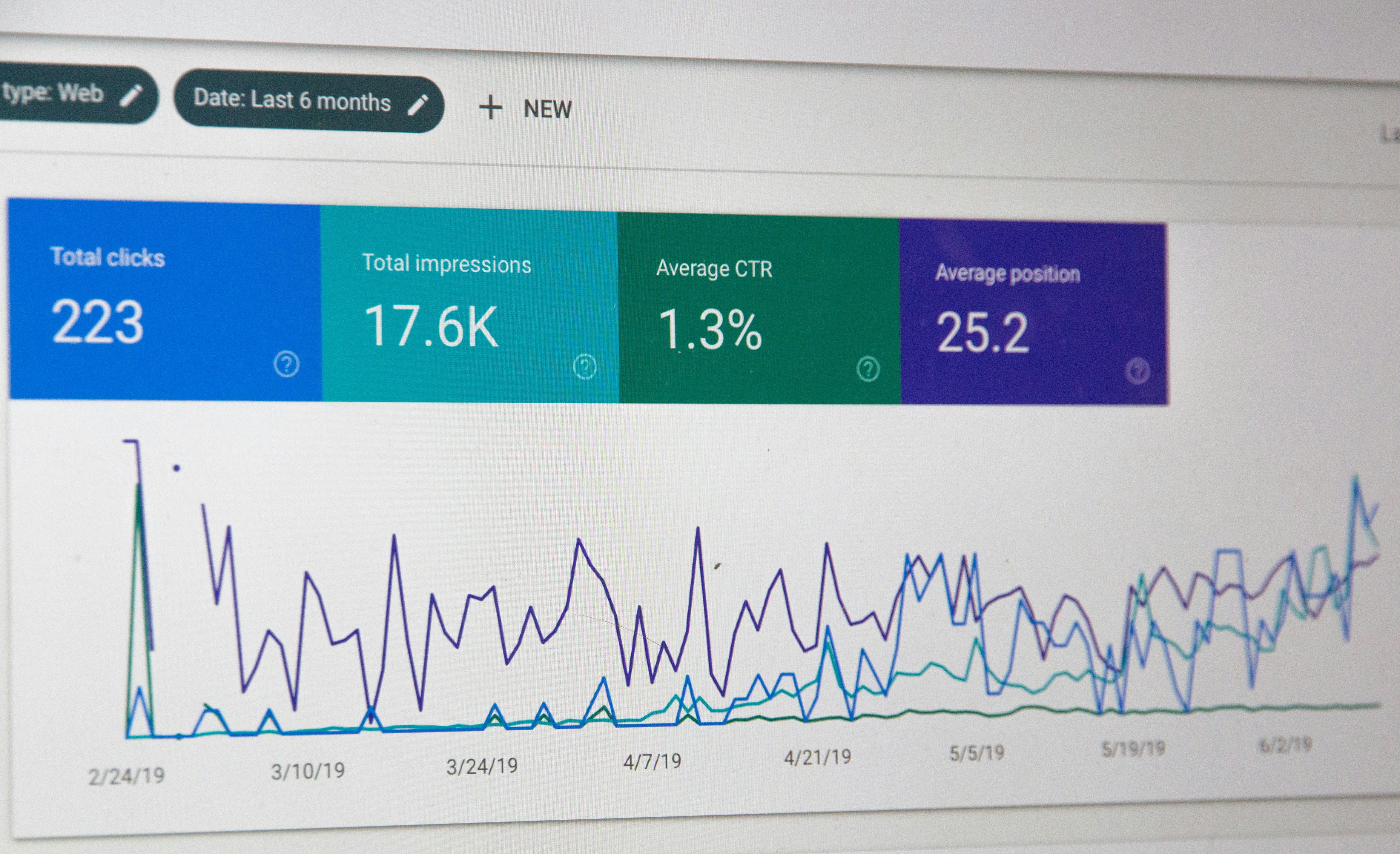
After 5-10 videos, YouTube Studio's analytics become your best teacher. Pay attention to 3 metrics: average view duration (are people watching?), click-through rate (are people clicking?), and traffic sources (where are viewers finding you?). If your CTR is high but retention drops at the 30-second mark, your intros need work. If retention is strong but CTR is low, your thumbnails need work.
The First 30 Videos Mindset
Treat your first 30 videos as training. You're learning how to make a YouTube channel; how to script, film, edit, optimize, and read analytics. Your skills improve with every upload. Most successful YouTubers say their channels didn't gain real traction until video 30-50. The creators who win are the ones who kept publishing through the slow early months.
YouTube's Partner Program requires 1,000 subscribers and 4,000 watch hours (or 10 million Shorts views) for full ad revenue eligibility (TubeBuddy, 2026). That's a real milestone, but it's reachable with consistent publishing and basic SEO. Focus on making useful content, and monetization follows.
Common Mistakes New YouTubers Make
Wondering how to create a YouTube channel? Avoiding these mistakes will put you ahead of most new creators:
- Waiting for perfect equipment before starting. Your phone is good enough. Start now.
- Ignoring audio quality. Bad sound drives viewers away faster than bad lighting.
- Making videos about what you want to say instead of what your audience wants to learn. Always check search demand first.
- Publishing inconsistently. 1 video a week for 6 months beats 10 videos in January and nothing in February.
- Skipping thumbnails and titles. These determine whether anyone clicks. Spend 20% of your total production time on them.
- Not studying analytics. YouTube gives you a free masterclass in what your audience wants. Read it.
- Trying to appeal to everyone. A focused channel with 1,000 engaged subscribers outperforms a scattered channel with 10,000 passive ones.
FAQ
How much does it cost to make a YouTube channel?
It costs nothing to create a YouTube channel. Creating a YouTube channel is completely free. You need a Google account and a few minutes. Equipment costs are optional. Your smartphone, a $30 microphone, and free editing software are enough to produce quality videos. Upgrade only after you've proven your content works.
How long does it take to grow a YouTube channel?
Most channels see meaningful traction between videos 30 and 50, assuming consistent weekly uploads and basic SEO. Growth depends on your niche, content quality, and how well you optimize for search. Channels in less competitive niches can gain traction faster. Expect 6-12 months of consistent work before you see compounding results.
Can I make a YouTube channel without showing my face?
Yes. Faceless channels are common in niches like finance, tech tutorials, gaming, and meditation. You can use screen recordings, stock footage, animation, or AI-powered video tools like Argil that generate videos from scripts using an AI clone of yourself. The key is that your content must still deliver value regardless of whether you're on camera.
How often should I post on YouTube?
Once a week is the minimum for building momentum. 2x a week accelerates growth but only if you can maintain quality. Never sacrifice video quality for upload frequency. The algorithm rewards viewer satisfaction, not upload count. Find a pace you can sustain for 6+ months and stick with it.
What equipment do I need to start a YouTube channel?
A smartphone with a decent camera (anything from the last 3-4 years works), a clip-on lavalier microphone ($30-50), and natural light from a window. Free editing software like DaVinci Resolve or CapCut handles post-production. That's it. Total startup cost can be under $50.
When can I start making money on YouTube?
YouTube's Partner Program has 2 tiers. The early access tier (500 subscribers, 3,000 watch hours, 3 public videos in 90 days) unlocks fan funding features like Super Chat and channel memberships. The full ad revenue tier requires 1,000 subscribers and either 4,000 watch hours or 10 million Shorts views. Most creators reach the first tier within 3-6 months of consistent publishing.
Related Articles
- What Is a Digital Creator and How Do You Become One?
- What Is Malva AI and How Can You Create a Better AI YouTube Channel?
- Side Hustles for College Students: How to Use AI Video
Step-by-step guide to making a YouTube channel in 2026