AI Movie Maker Tools Compared on Director Control in 2026
We compared 6 AI movie maker tools on director control and shot by shot iteration, from what you approve before a render to what a retake costs.
Article Highlights
- Six ai movie maker tools compared on control
- Clip generators and film engines are not the same buy
- Pick an ai movie maker on what you can change
- LTX Studio puts AI Storyboards on its $35 tier
- Luma Dream Machine is now Luma Agents
- Argil holds cast, sets and style across episodes
An ai movie maker turns a written idea into finished footage. Two different products are sold under that one name. Clip generators hand back a shot from a prompt, and film engines let you direct a sequence through boards. The thing that decides which you need is how much of the film you get to approve before anything renders.
What an AI movie maker actually does in 2026
Type the phrase into Google and almost every result is a vendor landing page selling its own generator. InVideo says outright that it turns your movie script into a full-length movie, and throws in the characters, voiceovers, subtitles, and music. That is what a zero-difficulty search term looks like from the inside. Nobody is competing on the answer. They are competing on the signup.
None of those pages tell you the one thing that matters once you start working, which is what you are allowed to change after the first attempt.
The dividing line runs between two product shapes. A clip generator takes a prompt and hands back a take. You keep it or you spend credits on another roll of the dice. A film engine takes a brief, breaks it into shots, shows you the shots, and waits. Both get marketed as an ai movie maker. Only one of them does the job a director recognizes.
The split matters most for anything longer than a single shot. A 30 second ad can survive being generated whole. Real ai filmmaking does not, because a short film with the same two characters in four locations needs something that remembers what those characters looked like last time, and nothing in a one-shot workflow does. Memory is where an ai movie generator and a film engine part company.
The five things to compare, if you intend to direct
Most roundups score these tools on how good one generated clip looks. It is the least useful comparison available, because every model in this set produces a pretty 5 second shot and none of them produce a finished film from one press of a button. Compare these five things instead.
Where the shot list comes from. Does a script or a brief become a sequence of shots you can reorder and rewrite, or do you get a single prompt box and a clip?
What you approve before anything renders. A board you sign off, or a finished take you either keep or redo.
What you can change on one shot without disturbing the others. Changing shot four should not re-roll shots one through three. Re-rolling three 5 second shots at 1080p, at Luma's published rates, costs 1,200 credits you did not have to spend.
What persists across shots and episodes. Cast, locations and visual style held as reusable records, instead of being described again in every prompt and drifting every time.
What a retake costs. These tools meter generation in credits, so a second attempt carries a price, and that price shapes how you direct.
Teams get this backwards constantly. They buy on a demo reel, and week three is when they find out the re-describing is the bill. Tools that let you plan the sequence first, the way a script becomes a shot list, move the work to the cheap stage.
The best ai movie maker tools compared on director control
Six tools, each checked on its own pages in October 2026. The order is not a ranking. It runs from the most board-first to the most platform-first.
LTX Studio
The line at the bottom of LTX's site is "Write it. Board it. Cut it." Script, storyboard and edit live in one workspace, and you can enter from four different places.
- Upload a script and it generates scenes and storyboards
- Describe a concept and explore directions
- Start from a single image and build a narrative out of it
- Drop in an existing video to expand or repurpose

On top of that sit camera controls, keyframes, references and an Elements system that LTX describes as keeping AI characters, objects and locations consistent across scenes. Pre-visualization is what the whole thing is built around.
The storyboard feature everyone comes for is not on the free plan. LTX pricing puts Free at 800 one-time credits with blank storyboards and a personal-use license only, and Lite at $15 a month for 8,000 credits. AI Storyboards, saved Elements and the commercial license all start on Standard at $35 a month, with Pro at $125 for 110,000 credits and three collaborators. The domain moved too. ltx.studio now redirects to ltx.io/studio, so old bookmarks and old roundups land on a redirect.
Runway
Aleph 2.0 and Edit Studio let you edit a single frame and push that change through the rest of the video, which is the closest thing in this category to a note an editor can actually act on. Workflows chain models into custom node graphs, Runway MCP wires the whole thing to an agent, and storyboarding and animatics are both listed among its tools. Runway says on its pricing page it is trusted by more than 60 million creators, and it publishes Amazon's House of David as a customer story.
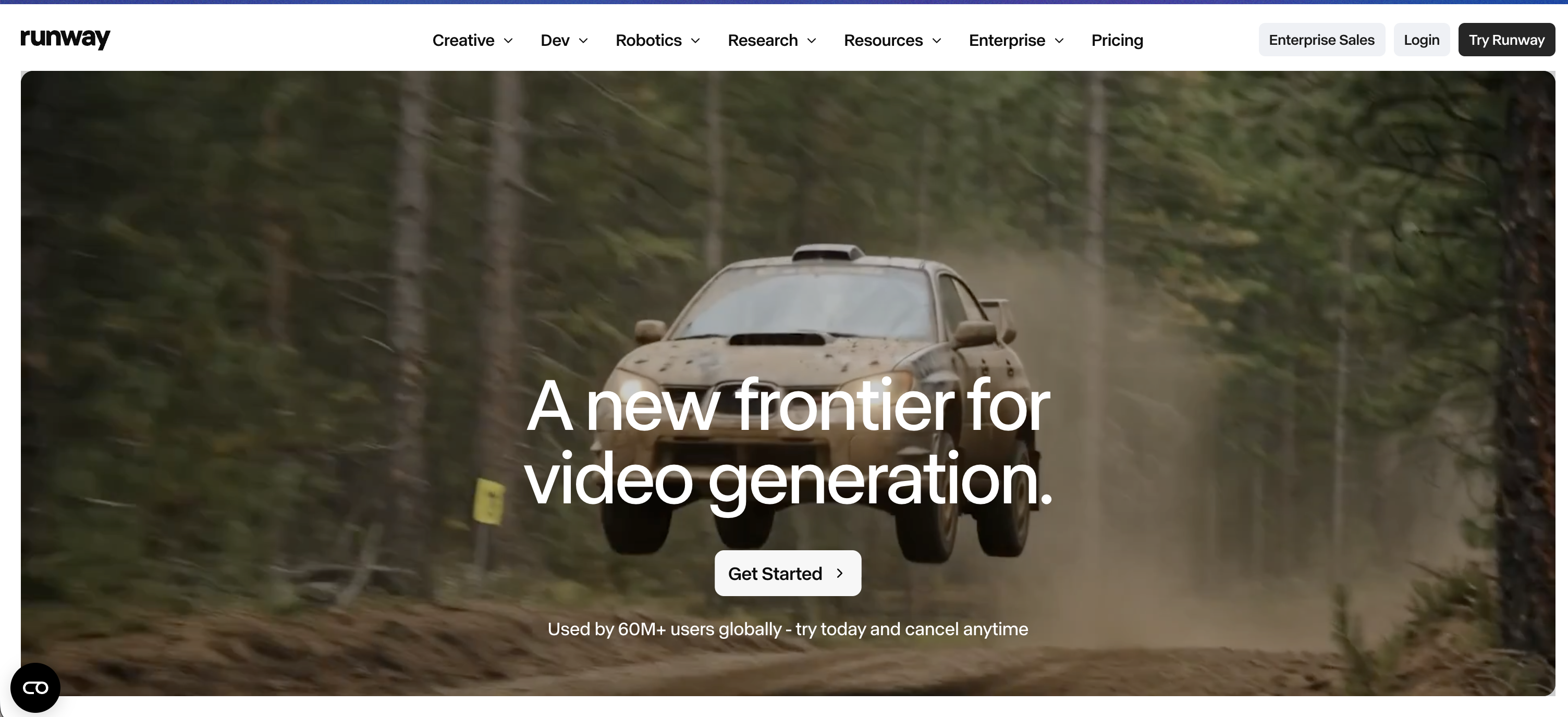
Runway's Multi-Shot Video App bills itself as "Write a simple prompt, get a multiple shots video." The sequence gets generated for you and then corrected, which puts your judgment after the take, and the difference shows up in the credit line. Runway's own pricing translates 625 monthly credits on the $15 Standard plan into 52 seconds of Gen-4.5. Pro at $35 buys 2,250 credits, Max at $95 buys 9,500 and rolls unused credits over for a month.
Kling
No other tool here has a feature film behind it. Kling's site documents ODYSSEUS: The Fall, a feature directed by Ash Koosha and co-produced with Fountain 0, and states that all 135 minutes of its visuals were generated with Kling's models. Kling also powered L'Ultimo Uomo Reale for The RealReal, which the Cannes Lions 2026 winners archive records as a Silver in Film and a Bronze in AI Craft, entered by Team One, Los Angeles.
Canvas is the director surface. Kling describes it in terms a filmmaker would recognize: you brainstorm with an agent, write scripts, generate images, videos and storyboards, then refine through multiple rounds of post-production, with flexible node editing that holds your context between rounds. Kling's homepage tagline is "You call the shots". Given what has shipped through it, that is a fair claim.
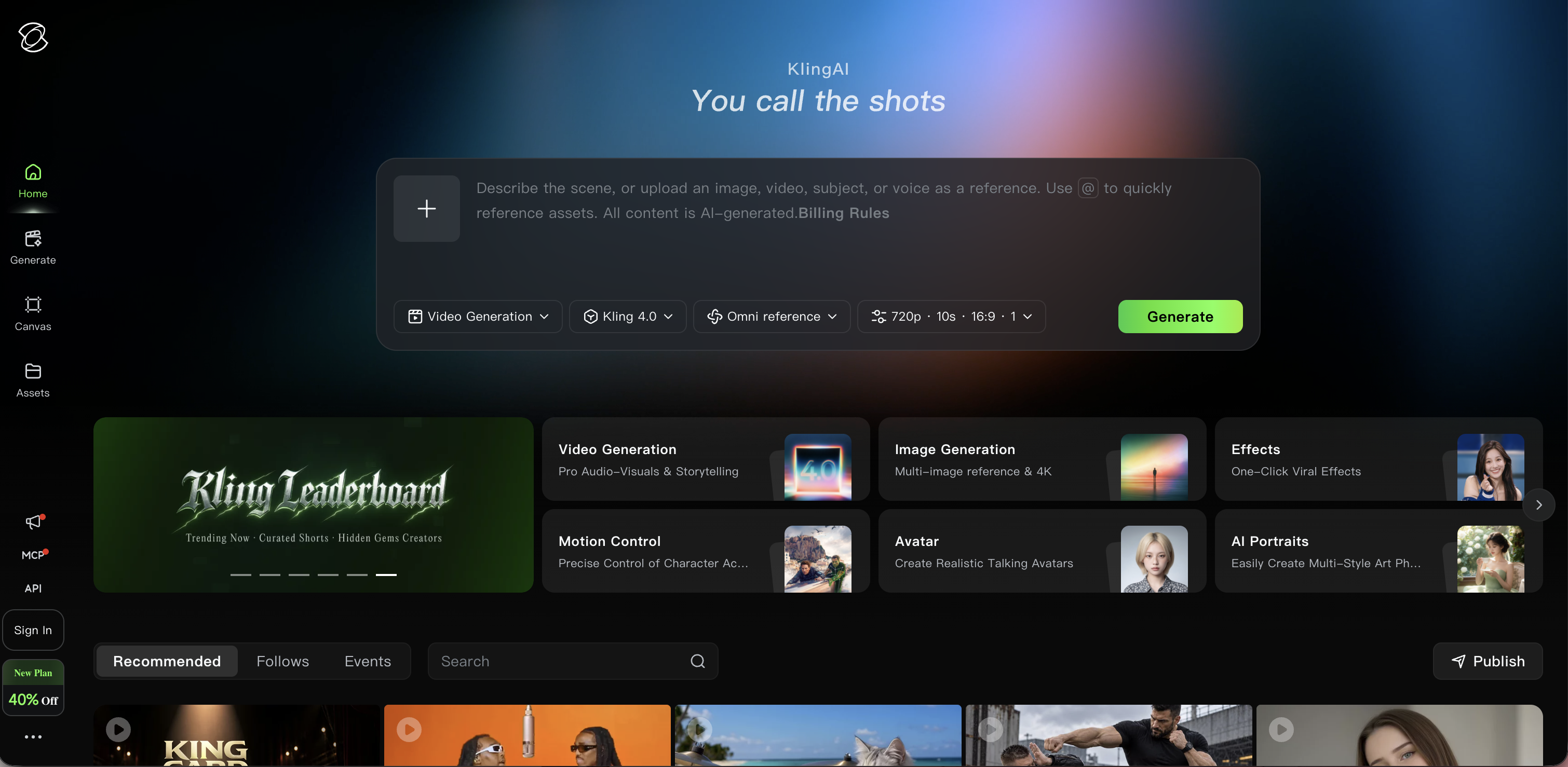
Kling's consumer membership page renders in the browser and returns no plan or price to a direct read, so we are not quoting a figure we could not see. Its developer platform is priced separately, and that is a different product.
Luma
Start with the name, because it is the most useful thing to tell anyone searching this. The product name Luma Dream Machine is gone. The page that used to carry it now describes Luma Agents on an infinite canvas, running Ray3.2, Ray3.14 and Uni-1.1. Plenty of the ai movie maker roundups still online have not noticed.
The product is decent for planning a sequence. Storyboards are one of the use cases Luma puts on the page, and Luma's FAQ covers extending a video's duration, extending scenes, restyling and reframing. Luma's pricing starts at Plus for $30 a month with 10,000 credits, then Pro at $90 for 40,000 and Ultra at $300 for 150,000, with no standing free individual tier on the page.
Luma publishes a per-resolution rate card for every generation, which is the most granular disclosure in this set. Ray3.2 text-to-video runs 50 credits for 5 seconds at 540p, 100 at 720p and 400 at 1080p. Runway publishes one headline rate, 12 credits per second of Gen-4.5, and the rest of the set publishes allowances without the per-shot arithmetic. The numbers below run on Luma's table.
Showrunner
Showrunner is the odd one out, and deliberately. Fable Studio makes it. It is a place to watch AI shows and make your own, and it says its AI is built for serialized storytelling, not 5 second clips. You create a scene, direct the shot, combine scenes, build a cast once and bring those characters back across episodes, or upload yourself and star in a show.
Your output is a show on Showrunner. Everything about the fit follows from that. Published shows are playable and remixable by fans. You keep what the platform calls canonical control, and fans who pay to remix your world send money back to you. Getting curated into the Showrunner network is framed as the modern version of a TV pickup. If you want a distribution surface and an audience that builds on your canon, that is the whole appeal. If you want a film file you own and deliver elsewhere, it is the wrong shape. There is no public pricing page, and showrunner.xyz now resolves to showrunnerstudio.com.
Argil
Argil makes the board the deliverable. Its thesis page states the position without hedging: the human is the director and AI is the crew, and "typing a prompt and receiving a film is a slot machine, not an art." On the product itself the sequence is labeled brief, board, shoot, edit.
In practice that means you bring an idea, then shape the world, the characters, the visual style, the format and the duration. Argil breaks the answers into a script, breaks the script into shots, and draws one board per shot using the characters and sets from that session. You read the boards and approve them. Only then does it shoot. The decisions that cost money everywhere else happen while they are still cheap.
The four parts of the product answer the planning criteria above directly. Casting locks a character once so face, body and voice stay the same in every episode. Art direction holds the locations and props, plus a house style that every model renders from. Directing is where you write the board, pick the models and shoot each shot. Editing puts cut, motion and captions on one timeline so the episode ships finished.
Argil's copy says models forget and agents start from zero, so it keeps the cast, the sets and the look on record. On its own account, that record is what keeps episode six looking like episode one.
Argil's plans start at Pro, from $50 a month, with a credit allowance you choose on the plan. Studio is $1,250 a month and labeled "Done with you", and Enterprise starts at $2,500. That makes it the most expensive front door in this comparison. Against LTX at $15 and Runway at $15, the entry point only makes sense if what you are doing is directing a sequence.
Argil lists the Pro plan's monthly credits as non-stacking, and the pay-as-you-go credits you buy separately never expire. So an unused month is gone, and a run of episodes becomes a multi-month commitment. The entry tier buys the directing workflow. Volume costs extra.
What a retake costs, and why that decides your ai movie maker
Luma charges 400 credits for one 5 second shot at 1080p. The Plus plan at $30 a month holds 10,000 credits, so that is 25 attempts at one shot before the month is gone. On Runway's Standard plan, 625 credits is 52 seconds of Gen-4.5 by Runway's own count, which is ten shots of 5 seconds with nothing left for second thoughts.
Directing is revision. The shot you keep is rarely the first one you rendered.
A board is almost free to change. A generated take costs credits to change, and the eighth version of a shot costs the same as the first.
The roll-over rule decides whether a slow month is banked or lost. Runway says up to one month of unused credits rolls over on its $95 Max plan, and resets on Standard and Pro. On Argil, plan credits do not carry from month to month, and only the top-ups you buy separately survive. Neither policy is wrong. One rewards bursts, the other assumes a steady weekly cadence.
The average creative team evaluated 6.1 AI tools in the past year, adopted 4.3 and dropped 2.9. That comes from Luma's own research, a survey of 760 creative professionals published in September 2026, which also found 81% have released content made with AI while no single task has crossed 50% adoption. Image generation is the highest at 42%. Teams try these tools and then abandon them, and the ones that get dropped looked good in a demo and fell apart in the second week of real work. If you are about to commit to one, what is actually changing in AI video generation is worth reading first.
Which ai movie maker to pick
One hero shot for an ad or a pitch. Runway or Kling. You want the best single take and the most post-render repair, and none of the planning criteria above apply to a 5 second shot.
A board from a script, with the timeline in the same window. LTX Studio, on Standard at $35 a month, because that is the tier where storyboards and saved Elements actually live.
A show with an audience that remixes it. Showrunner. The platform is the point, so make the distribution-over-delivery trade on purpose.
An ai film or an ai series where the characters, the locations and the look have to hold across episodes. Argil. It is built for exactly that, and however good the model behind it gets, a prompt box does not do it.
If model families are still the thing you are weighing up, the comparison of image to video generators is a better starting point than this one.
FAQ
What is the best ai movie maker?
There is no single best one, because the category contains two different products. For one strong shot and heavy post-render editing, Runway and Kling lead. For turning a script into boards you approve shot by shot, LTX Studio and Argil lead. Which of those two jobs you are doing settles the rest.
Can AI make a full movie?
Yes, and it has been done. Kling documents ODYSSEUS: The Fall, a 135 minute feature directed by Ash Koosha, and states that all of its visuals were AI-generated. What no tool does is produce that from one prompt. A feature is thousands of individual shot decisions, and those decisions just move upstream.
Is there a free ai movie maker?
Partly. LTX Studio's free plan gives 800 one-time credits and blank storyboards, but it carries a personal-use license only, so it cannot be used for paid or commercial work. Runway's free plan gives 125 one-time credits. Luma's pricing page lists no standing free individual tier. Treat a free tier here as an evaluation budget. You cannot ship paid work on one.
Can I use AI generated movies commercially?
It depends on the plan, not the tool. LTX Studio, for example, attaches the commercial-use license to its $35 Standard tier and restricts the free tier to personal projects. Read the license line on the specific plan you are buying, because several tools in this set gate commercial rights behind a paid tier.
How long can an AI generated film be?
Credits set the length. There is no hard duration cap. Models in this set generate in clips of a few seconds, and a longer film is many of those shots assembled, so the real ceiling is your monthly credit allowance and how many retakes each shot needs. Approving a storyboard before rendering is what stretches that allowance.
Related Articles
- What's the best AI video generator for commercial use in 2026
- AI voice movies and the best tools to create AI generated videos
- How to make AI history content that goes viral
Pick your ai movie maker on the boards you get to approve, not on the first clip it hands you. If directing the sequence is the part you care about, start a film in Argil and see your idea come back as shots before anything renders.