Akool AI Avatars Review 2026: Honest Take + 4 Alternatives
Akool AI avatars tested: real pricing, multilingual lip sync, and where it falls short. See 4 alternatives ranked by use case, including Argil.
- Akool AI avatars reviewed feature by feature, pricing verified against the live site
- Multilingual lip sync across 155+ languages, still Akool's strongest card
- Stock avatar first, light on personal cloning
- Credit billing gets pricey at daily cadence
- 4 Akool alternatives mapped by use case
- Argil clones your own face for daily video
Akool sells AI avatars and AI video built for ads and marketing, and most buyers arrive here with a narrower question than the marketing copy answers: is Akool the right call for a creator or an SMB, or is there a better fit for the job. This review walks through what Akool AI avatars actually do well and where the workflow runs out of road, then it sorts 4 alternatives by the use case each one owns so you can route to the right one. With 84% of consumers saying they want more video from brands in 2026 (Wyzowl), the pressure to ship is real, and the tool you pick has to keep up with how often you publish.
What Akool AI Avatars is (and who built it)
Akool AI avatars is the avatar and video generation feature inside the wider Akool platform, which also bundles image generation and video translation, with a face swap tool sitting alongside. So you are buying into a marketing suite, not a single purpose avatar studio.
Akool positions itself toward marketing teams and ecommerce ad creators first, with solo creators as a secondary audience. That focus shows up everywhere in the product, from the ad scripting templates to the translation heavy feature set. Inside the broader category, Akool sits alongside Synthesia, HeyGen, Vidnoz, and Argil, each pulling toward a different buyer.
How Akool AI Avatars works
The core workflow is quick to learn. You pick a stock avatar or upload a short clip to build an instant one, then drop in your script and set a voice and language before you hit generate. Within a few minutes you have a talking head clip ready to download.
What stands out while using it is how often the editor nudges you toward marketing use cases. Templates for UGC ads and product demos sit front and center, which tells you who Akool was built for. A creator looking to post daily personal brand video content will feel like they are using a tool meant for someone else.
Stock avatar library and instant avatars
Akool ships a sizable library of pre built avatars with reasonable ethnic and language variety, plus an instant avatar workflow that turns a short photo or video upload into a usable presenter. There is plenty of volume for ad testing, but the realism ceiling is the catch. Akool's avatars are improving, and they still lean toward a stylized talking head look rather than a faithful clone of your actual face and mannerisms.
Multilingual voice and lip sync
This is the genuine Akool strength. The voice library is deep and language support runs across 155+ languages, and the lip sync holds up reasonably well when you switch from one language to another. For an SMB translating a product walkthrough into several markets, that coverage is worth real money and is the clearest reason to choose Akool over a flat subscription rival.
Ad scripting and use case templates
Akool's built in ad script generator and its templates for ecommerce and product demo content are fast. You can go from a product idea to a scripted avatar ad without leaving the tool. This is exactly why Akool skews toward marketers running ad creative tests rather than personal brand creators posting daily, where the script is the creator's own voice, not a template. If UGC ad creative is your main job, our comparison of the best UGC video production tools weighs how Akool's rivals handle the same loop.
Output editing and export options
On the finishing side, Akool covers captions, basic music, watermark removal on paid tiers, and short form aspect ratios. Where the workflow ends matters more than what it includes. Akool produces a clean avatar video but stops short of the full short form edit creators usually want, the kind with b-roll and dynamic captions cut to scene. You finish that polish somewhere else.
Akool pricing and plans
Akool runs a credit based billing model rather than flat subscriptions, so what you pay tracks how much you generate. Credits drain across video minutes and avatar generations, and translations eat into the same pool, which means heavy users burn through their allowance faster than the headline price suggests. Akool's own pricing page confirms the Pro plan at $30 a month, with a free plan and higher Pro Max, Business, and Enterprise tiers above it for teams that need more resolution, longer video length, and API access (Akool pricing).
Free tier
The free tier gives you limited resolution and generation volume with watermarked video and no card required. It is enough for a single sanity test before you commit. A buyer who wants to confirm the avatar quality and translation fit should start here and burn the free credits on a real script, not a demo.
Paid tiers
Each paid tier maps to a different buyer. The entry paid plan at $30 a month suits an individual creator or small marketer, and the higher Pro Max, Business, and Enterprise tiers step up resolution, video length, concurrent generations, and API access for agencies and enterprise teams generating at volume. For a clear side by side of how Akool's credit model stacks up against flat plan rivals, see our AI avatar pricing comparison across the category.
Akool strengths
The honest case for Akool is built on a few real wins.
- Multilingual avatar output with usable lip sync across 155+ languages, which is strong for SMBs translating product content.
- Built in ad scripting and templated UGC ad flows that give performance marketers a fast iteration loop.
- A free tier and credit based billing that lower the barrier to entry compared with the flat subscriptions on Synthesia or HeyGen.
- Face swap and video translation as bonus utilities in the wider Akool toolset, so the avatar feature is one part of a marketing suite.
Akool limitations
The trade-offs are where most creators run into trouble.
- A template heavy avatar library, so most output still leans on stock avatars rather than a personal clone of you.
- A shallow personal clone workflow, where realism, micro expression, and motion are weaker than dedicated cloning tools.
- A limited finishing pipeline with no native b-roll, dynamic captions, or scene level editing, so you need a second tool to ship a polished short form post.
- Credit billing that gets expensive at high volume, where flat monthly plans on other tools end up cheaper for daily cadence creators.
- Light brand control, which makes it harder to lock voice, look, and tone across recurring posts than tools designed around a single personal brand.
That last cluster is the natural pivot to the alternatives. Akool is a capable ad creative engine that runs into its limits the moment you ask it to carry a daily personal brand.
Who Akool is actually best for
Akool fits a specific buyer well.
- Performance marketers spinning many short ad variants with stock avatars and quick scripts.
- SMBs translating product walkthroughs or how to videos into multiple languages.
- Buyers who want a low cost entry point and accept stock avatar output.
Who Akool is not best for is just as clear: creators and SMB founders building a personal brand on a daily cadence using their own face. If that is you, the alternatives below will serve you better.
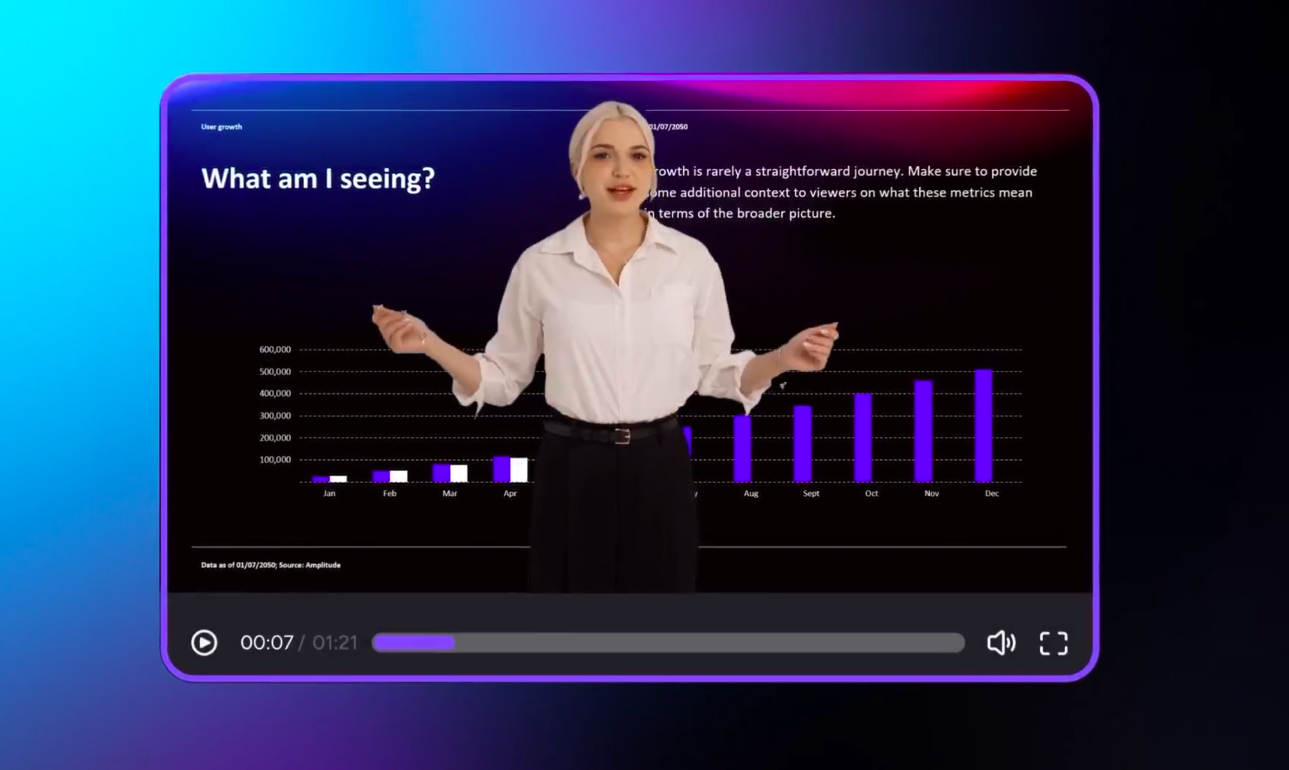
Image source: Akool
Best Akool alternatives in 2026
Here are 4 alternatives mapped to use cases, not a generic top 10. Each covers strengths, limitations, who it fits, and pricing. For the wider field, our roundup of AI avatar tools for creators covers more of the category.
Argil: best for creators and SMBs scaling personal brand video
Argil is the strongest Akool alternative for anyone whose own face has to be the avatar. You upload a 2 minute video once, Argil builds a faithful clone of your face and voice, and from a pasted script it produces fully edited short form videos with captions and b-roll already cut in and transitions handled. One pass, no second editor.
Its strengths are personal clone realism and an end to end finishing pipeline, all priced for daily cadence. Its limitations are that it is built for personal brand output rather than high volume stock avatar ad testing, and it works best when an expert user owns the niche and brings the script. Argil fits creators, real estate agents, lawyers, and SMB founders. It offers a free trial, with the Argil Classic plan from $39 per month and the Pro plan from $149 per month (Argil pricing).
HeyGen: best for enterprise marketing and learning teams
HeyGen brings a large stock avatar library and strong enterprise integrations on top of a mature API. Its limitations are that cost scales fast on high volume creator workflows and output is talking head led with limited native b-roll. HeyGen is best for corporate teams producing the recurring stuff: onboarding, training, internal comms. Pricing runs from a free tier through a Creator plan at $29 per month (600 credits) and a Business plan at $149 per month plus $20 per seat (1,500 credits) (HeyGen pricing).
Synthesia: best for studio grade L&D and corporate
Synthesia offers strong avatar realism and broad language coverage, backed by a mature compliance posture for enterprise. Its limitations are enterprise grade pricing and a turnaround too slow for daily creator cadence, which makes it a weak fit for personal brand output. It is best for L&D, internal training, HR comms, and regulated industries that need polished avatar output at low risk. Pricing starts on a free tier, with a Starter plan at $29 per month and a Creator plan at $89 per month (Synthesia pricing). For teams comparing fine avatar control, our guide on AI avatar software with advanced facial expression controls goes deeper.
Captions: best for short form first creators
Captions brings a native short form editing layer of captions and scene effects, with avatar features built on top. Its entry paid plan is now Max at $24.99 per month, stepping up through Scale plans as high as $279.99 per month for heavier credit needs. Its limitations are that avatar realism still trails the dedicated cloning leaders and the mobile first interface is not ideal for desk bound workflows. It is best for mobile creators editing on the go who want their cuts and captions in the same app as the avatar (Captions pricing).
Which one should you choose
The decision comes down to how your content is made and how often you ship.
- If your face has to drive the channel and cadence matters, pick Argil.
- If you are running performance ad tests with stock avatars across languages, Akool is a solid fit.
- If you need enterprise L&D and corporate comms, go to Synthesia or HeyGen depending on budget and integration needs.
- If you are a mobile first creator who lives in short form, Captions is the lighter pick.
Akool earns its place as a multilingual ad engine, and that is a real strength for performance teams. The job changes when your own cloned face has to carry a daily channel, and that is where a tool like Argil takes over. Start a free Argil trial and turn one script into a fully edited short form video without a second editor.
Related Articles
- What Is a Digital Creator in 2025 and How They're Scaling With AI Avatars
- Best AI Avatar Services for Influencer Content in 2026
- How Real Estate Agents Are Using AI to Create Viral UGC Videos
Akool AI avatars review 2026 with 4 honest alternatives by use case