
How to Use an Avatar AI Video Maker for Business Advertising
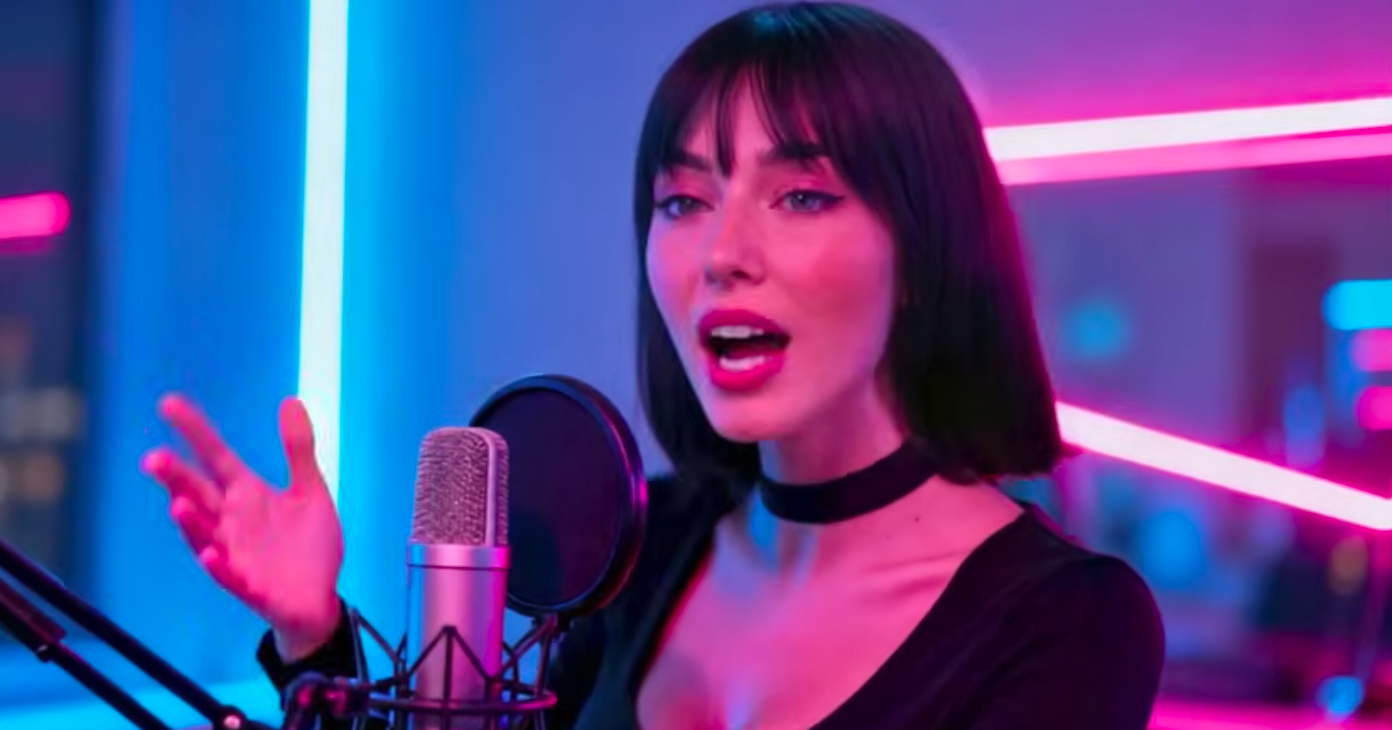
Article Highlights
- A 6 step tutorial for producing a platform-ready ad with an avatar AI video maker for business advertising
- The source footage and script setup that decides whether the final ad performs
- A Hook + Pain + Solution + Proof + CTA framework compressed to 30 to 60 seconds
- Pacing and intonation rules most first-time avatar advertisers get wrong
- The b-roll, captions, hook frame, and CTA card that separate a clip from a finished ad
- Why an avatar AI video maker for business advertising works best when paired with Argil's 2 minute clone workflow
By the end of this tutorial you will be able to ship a polished, platform-ready advertising video starring an AI avatar without hiring a film crew or a video editor. The walkthrough covers everything from source footage to platform-ready export, using Argil's 2 minute clone workflow as the working example so you can map the steps directly onto a real tool. The same framework applies to any other avatar AI video maker for business advertising on the market.
Plan for roughly 1 hour to ship the first end-to-end ad once the avatar is trained, and 15 to 20 minutes per variant after that. The tooling list is short: an avatar AI video maker (Argil in the example), a script, and a clear sense of who the ad is for.
This guide is written for founders running their own paid social, marketing operators on small teams, agency staff producing volume creative for clients, and SMBs that have never produced video ads before.
Before you start: what you need ready
The setup matters more than the rendering. Most failed avatar ads trace back to a sloppy source upload or a script that was written like a blog post rather than a 30 second hook. Treat the prep work as 60% of the job.
Source footage for a custom avatar clone
Most clone-based tools need 2 to 5 minutes of clean source footage. Argil works on around 2 minutes, which sits at the low end of the category. Shoot the source in landscape orientation against a clean background, looking directly into the camera, with even lighting on the face. According to Wyzowl's 2026 State of Video Marketing, 89% of marketers report a positive ROI on video, and the gating factor for most teams is production capacity rather than strategy.
Speak naturally during the source recording. Vary pace and emotion across the 2 minutes. The clone learns expressiveness from this stretch, not just visual likeness. A monotone source produces a monotone clone, which will read as flat on every future ad.
Skip dressing or styling you would not want in every future ad. The avatar inherits whatever you wore in the source. Plain, brand-consistent attire is the safer choice for any clone that will appear in months of paid social.
Script structure for advertising
An ad script compresses a Hook, Problem, Solution, Proof, and CTA into 30 to 60 seconds, which lands at around 80 to 150 spoken words at natural pace. Treat it as a 30 second pitch, not a 600 word blog intro.
Write the hook for the first 2 seconds, where most viewers decide whether to scroll. Open with one of these structures:
- A question that names the viewer's exact problem
- A contrarian claim that contradicts the category's conventional wisdom
- A numbered promise that anchors a measurable outcome

Ads need tight scripts.
End with a single, specific CTA. Vague CTAs like "learn more" underperform specific ones like "book a 15 minute call" or "comment SCRIPT to get the template."
Brand and ad-platform inputs
Pull the brand kit together before opening the avatar tool. The list to stage:
- Logo lockup in light and dark variants
- 1 or 2 brand colors as hex codes
- Brand font name as it appears in the tool's font library
- 3 to 5 stills of the product or interface for b-roll
- Any boilerplate disclaimer text the brand uses on ads
Decide which platforms the ad will run on before render. Meta Reels, TikTok, and YouTube Shorts all need 9:16 vertical, while in-feed Meta accepts 1:1 and YouTube pre-roll wants 16:9. Plan for the highest-bar platform first, then derive the smaller aspect ratios from the same source render.
Confirm any ad-platform compliance constraints. Meta and TikTok require AI-generated content disclosure in certain ad categories (political, financial, health). Note this before render so the disclosure metadata is attached correctly.
Step 1: Choose the right avatar for the ad
The avatar choice changes the ad's psychology. This step is where most first-time advertisers default to a stock avatar and end up with a generic ad.
Use a custom clone of your own face when brand recognition matters or when the founder is the spokesperson. That's the right call for most SMB and founder-led brands, where viewers should know whose voice they are hearing. The case for a custom clone is even stronger in verticals where trust drives conversion (DTC, real estate, legal services).
Use a stock avatar when running category-level ads where the messenger does not need to be recognizable. Stock avatars also fit when the target audience sits in a different geography or demographic than the founder, and a localized face improves engagement.
The Argil workflow for setting up a custom clone:
- Upload your 2 minute source clip in the avatar studio
- Name the avatar so future scripts route to the right clone
- Wait for clone training, which typically lands inside 1 to 4 hours
- Approve the clone in your library, then reuse it across every future ad
The output is a trained avatar in your library, ready to read any future script in your voice and likeness. Detailed walkthroughs of the cloning pipeline live on the Argil blog, including how custom matches work end to end and how to brand the avatar so it builds an audience.
Step 2: Write the ad script with Hook + Pain + Solution + Proof + CTA
This is the step that decides whether the ad converts. The script does more for conversion than the avatar choice does, every time.
Build the script in 5 tight beats, keeping each one to the spoken-word range below.
Hook (first 2 seconds, around 6 to 8 spoken words). One question, one contrarian claim, or one number. Example: "Why 90 percent of small business ads fail in the first 3 seconds."
Pain (5 to 10 seconds). Name specific friction the viewer recognizes. Avoid generic claims. "Spending 3K a month on a freelance video editor" beats "video is hard."
Solution (15 to 20 seconds). Your product or approach, with a concrete mechanism. Show how it works in a sentence or two, not just what it does in the abstract.
Proof (5 seconds, optional but lifting). A customer quote, a metric, or a screenshot. Strong proof can lift conversion 20 to 40 percent in most internal tests. According to Buffer's 2026 social media benchmarks, creatives with explicit social proof outperform claim-only versions across paid placements.
CTA (3 to 5 seconds). One verb, one outcome. Example: "Book a 15 minute call. Link below."
Read the script aloud at natural pace before sending it to the avatar. Anything that snags on your tongue will snag on the clone's voice too.
Tip between steps
Once the script reads cleanly, save it as a template. The Hook + Pain + Solution + Proof + CTA structure can be re-deployed across new offers and seasons for years. Most teams burn the savings of avatar workflows by re-writing the script from scratch each week.
Step 3: Set the pacing and intonation
Most avatar tools (Argil included) let you control pacing per phrase, and you should actually use that control rather than letting the default flat read carry the script. Flat pacing is the single most common mistake on first ads.
Set faster pacing for the hook, around 130 to 150 words per minute, so the opening lines feel urgent. Slow the proof and CTA to 90 to 110 words per minute so viewers can register the offer.
Add deliberate beats. A 0.3 to 0.5 second pause before the CTA outperforms a continuous read. The pause gives the viewer time to feel the resolution before the ask.
Listen to the rendered audio twice: once on mute watching the avatar, once with sound. If the avatar's lips move uniformly the script is too even, so break sentence lengths up and add a short fragment after a longer sentence to introduce micro-variation in mouth movement.
Step 4: Add b-roll, captions, and a hook frame
The talking head alone does not perform on paid social in 2026. B-roll, captions, and the hook frame do the conversion work. This step is where the difference between an avatar AI video maker for business advertising that ships finished ads and one that produces talking-head clips shows up.
Cut b-roll every 3 to 5 seconds. Use product footage, screen captures, or relevant stock clips. Argil auto-generates b-roll suggestions from the script, but review every cut and replace anything that does not match the message. Auto-b-roll is a starting point, not a finished render. The Argil blog covers b-roll selection patterns for paid social in detail.
Bake captions in at render time rather than relying on the platform's auto-caption layer. Roughly 80 percent of paid social viewers watch on mute, and platform-side captions render inconsistently across devices, so the version you control is the one that always shows up.
Build the hook frame. The first 1 to 2 seconds need a visual that stops the scroll, using one of the patterns below:
- A bold text overlay carrying the hook
- A curiosity-gap image that does not give the punchline away
- A high-contrast facial expression on the avatar (surprise, intensity, recognition)
Add a CTA card at the end. Allow 3 seconds of static text with the offer and the link. Match brand colors to the rest of the brand kit. Skipping the CTA card is the single most common cause of low conversion from an otherwise solid ad.
Step 5: Render in 9:16 and export platform-ready assets
Render order matters because reformatting after the fact loses quality, so always start with the highest-bar aspect ratio.
Specifically, render the master at 9:16 (the hardest aspect ratio to retrofit), then derive 1:1 and 16:9 from the same source.
Confirm output specs match ad-platform ingestion requirements:
- 1080 by 1920 resolution for 9:16
- MP4 H.264 codec
- Audio at 128 kbps minimum
The output from Argil at this stage is a finished MP4 with the avatar, b-roll, captions, and CTA card baked in. Upload it directly to Meta Ads Manager or TikTok Ads without an extra editing pass.
Tip between steps
Save the source script and the render settings as a preset before moving on. The next 4 variants you ship will reuse 80% of these settings, and a preset cuts variant-production time roughly in half.
Step 6: Test, iterate, and scale to a weekly cadence
Volume is where avatar-based advertising actually pays for itself. Teams that ship a single render and call it done are using maybe 10 percent of what the workflow allows.
Ship 3 to 5 hook variants of the same script first. Hook is the highest-impact variable in any paid social ad, so iterate the first 2 seconds before iterating anything else. Different hooks against the same body of the ad reveal which opening pattern resonates with your audience.
Watch hook retention (the percent of viewers still watching at 3 seconds) before any cost metric. Hook retention under 25 percent means the hook is broken regardless of the rest of the ad. Hook retention above 40 percent is a strong signal to scale spend on that creative.
Set a weekly cadence. 5 new variants per week is a realistic target for a single operator using Argil. Performance teams chasing volume can scale to 20 to 30 per week without adding headcount. Most teams under-ship by 5 to 10x relative to what an avatar workflow allows.
Reuse the highest-performing structure across new offers and seasons. Once you find a hook that retains, the script template can be re-deployed for years across new products, campaigns, and customer segments.
Common mistakes to avoid
The mistakes that show up across hundreds of avatar ads. Most are preventable in the prep phase.
Mistake 1: treating the avatar as the ad itself. The avatar is the messenger, while the script and b-roll do the actual persuasion.
Mistake 2: rendering once and shipping. Single-variant ads have a half-life of 7 to 14 days on paid social. Plan for variants from day one.
Mistake 3: skipping the hook frame. A talking head opening with a generic greeting loses roughly 60 percent of viewers in the first 2 seconds.
Mistake 4: using a low-quality source recording. A poorly-lit, soft-focus, or noisy source produces a perpetually poor-quality avatar across every future ad, and there is no de-noise or relight filter that can fix it after training.
Mistake 5: no captions burned in. The platform's auto-captions render inconsistently across devices and cost you up to 30 percent of mute viewers.
Mistake 6: skipping AI disclosure where required. Meta or TikTok will throttle reach or reject the ad outright, costing both time and ad budget.
Why Argil fits this workflow
The 6 step pipeline above maps directly onto Argil's product, which is the practical reason it sits as the working example in this tutorial.
Argil is built around the 2 minute clone-from-source workflow this tutorial describes. Other tools require longer source footage, in-studio shoots, or stock-only avatars, none of which fit the founder-led ad use case. Argil sits at the low end of the source-footage requirement, which lowers the on-ramp for first-time avatar advertisers.
The platform handles avatar render, b-roll, captions, hook framing, and 9:16 export in one pipeline. Tools that stop at the avatar render leave you to finish in CapCut or Descript, which adds 15 to 30 minutes per variant and breaks the cadence advantage. The pipeline-in-one design is what makes a 5 variant per week cadence realistic for a single operator.
Pricing starts at $39 per month on the Classic plan and $27 per month on annual billing, as verified on the Argil pricing page. That price sits below the monthly cost of a single freelance ad render at most agency rates, and roughly 30x to 100x below the per-variant cost of hiring an editor for weekly cadence. The unit economics make daily testing feasible for small businesses for the first time.
Honest counter-cases. Argil is not the right fit when the brand needs 175+ language localization at scale (HeyGen is stronger) or engineered per-recipient personalization for ABM workflows (Tavus is stronger). For founder-led and brand-led SMB ad workflows, Argil is the closest off-the-shelf match for the 6 step pipeline in this tutorial. Argil's blog also covers an adjacent walkthrough for the TikTok-specific ad creation workflow.
Frequently asked questions
How long does it take to make my first AI avatar ad?
Roughly 1 hour for the first end-to-end ad once the avatar is trained, including script, render, and review. Subsequent variants drop to 15 to 20 minutes each once the workflow is dialed in.
Do I need video editing skills to use an AI avatar maker for ads?
No, if you pick a tool that handles b-roll, captions, and platform-ready export in one pipeline. Tools that render only the avatar leave you to finish the rest in CapCut or Descript.
Can I use my AI avatar across Meta, TikTok, and YouTube ads?
Yes. The avatar is platform-agnostic. Render at 9:16 first, then export 1:1 and 16:9 versions for in-feed Meta and YouTube pre-roll respectively.
How do I write a script that performs as a paid ad rather than a social post?
Use the Hook, Pain, Solution, Proof, CTA framework, and compress to 30 to 60 seconds total. Front-load the hook in the first 2 seconds and close with a single, specific CTA.
Do I need to disclose that the ad uses an AI avatar?
Yes in some categories on Meta and TikTok, particularly political, financial, and health-related ads. Use the platform's AI-content tag at upload, and prefer tools that auto-attach disclosure metadata at render.
How many ad variants should I produce per week using an AI avatar workflow?
5 variants per week is a realistic target for a single operator. Performance teams can scale to 20 to 30 per week without adding headcount, since the avatar-based pipeline removes the shoot-day bottleneck.
Related articles
- What are the best AI avatar solutions for UGC product ads in 2026
- The 5 best AI influencer generator platforms for creators in 2026
- Best AI avatar services for influencer content in 2026
Ship the first variant this week and watch hook retention before iterating anything else. The cadence advantage of an avatar workflow only shows up after several weeks of variants, so the sooner the first one is live, the sooner the learning curve starts.