The Best Clipping Software for Content Creators in 2026
Clipping software helps creators turn long videos into viral short-form content. Compare the 7 best clipping tools for speed, AI features, and output quality.

Short-form video currently dominates the internet. TikTok, YouTube Shorts, Instagram Reels, and LinkedIn video collectively pull in over 2 billion daily views, and creators who post consistently across these platforms grow faster, land more brand deals, and build audiences that compound over time.
So what’s stopping you from going viral? The bottleneck for most creators is the production timeline. Recording, editing, and formatting video clips for each platform takes hours per day, and most creators don’t have the luxury of doing it full-time. That is where clipping software is completely changing the game.
The right clipping tool turns one piece of content into ten that you can share across platforms to engage and convert new audiences. This guide breaks down the seven best options available right now, from free mobile editors to AI tools that generate clips from nothing but a script.
What Is Clipping Software and Why Do Creators Need It?
Clipping software is any tool designed to extract, edit, or create short-form video clips from longer footage or audio content. This could mean trimming a 40-minute podcast into a 60-second highlight reel, or turning a longer script into snappy, bite-sized clips.
Clipping software and the content repurposing revolution
The math behind repurposing is fairly straightforward. A single long-form video contains enough material for 10 to 20 short clips, and creators who repurpose consistently post 3 to 5 times more content per week than those who create each piece from scratch. More posts mean more impressions, more followers, and more revenue. Gary Vaynerchuk's team famously turns one keynote into 30+ pieces of content. The strategy works, but most creators lack the production bandwidth to execute it.
Why manual clipping doesn't scale
Manual clipping means scrubbing through footage, identifying highlights, cutting them out, adding captions, reformatting for vertical, and exporting. A skilled editor can produce maybe 3 to 5 polished clips per hour. For a solo creator without an editor, that number drops to 1 or 2. The creator economy now includes over 200 million people globally, and the vast majority operate without a team. If your workflow requires you to sit in a timeline editor for every clip, you will always lose the volume game to creators who have automated it.
The Best Clipping Software for Content Creators in 2026
Not every clipping tool solves the same problem. Some are built for manual precision. Others automate the entire pipeline. The tools below fall into three categories: traditional editors, AI-powered clippers, and AI video generators. Each category represents a different philosophy about how clips should get made.
Traditional Clipping Software and Editing Tools
These tools give you a timeline, a set of controls, and full manual authority over the final product. They require more time but offer maximum creative control.
1. CapCut
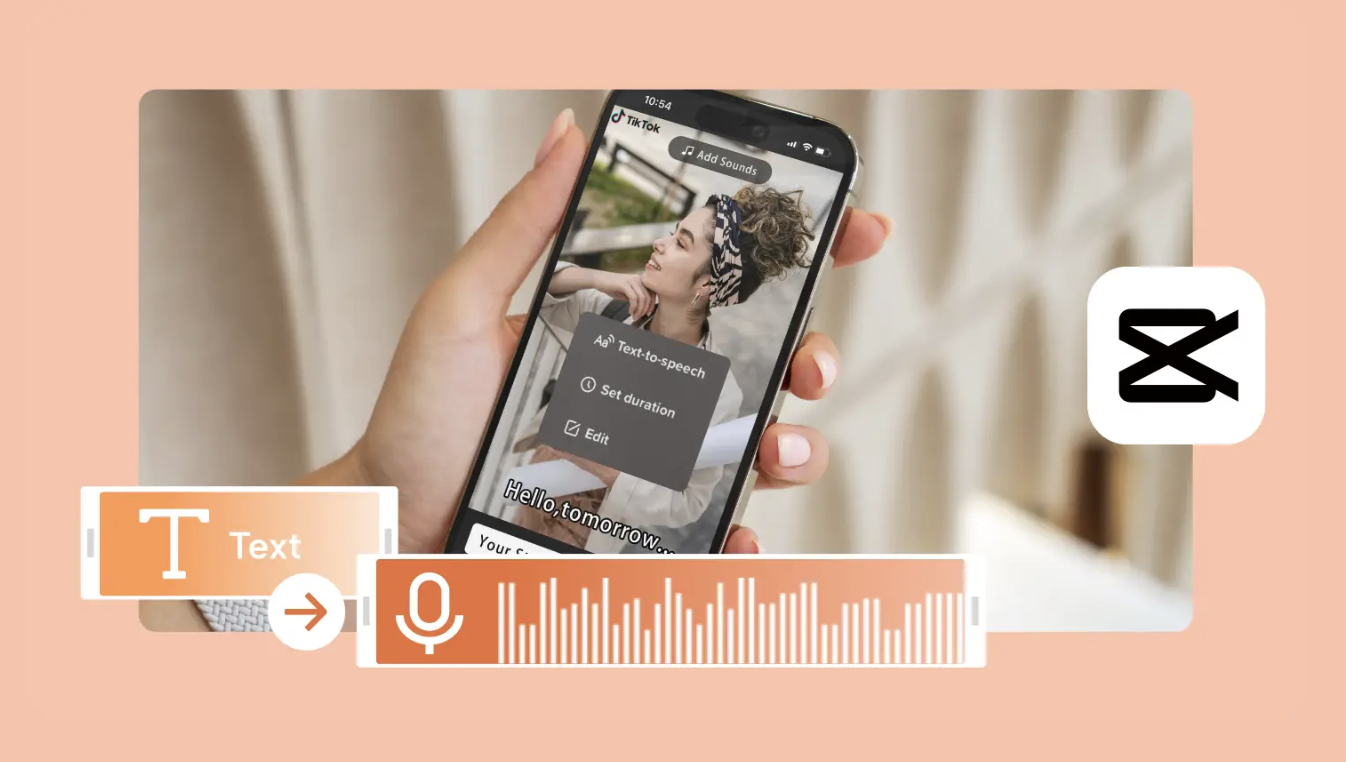
CapCut is the default starting point for millions of creators. Originally built as a companion app for TikTok, it has expanded into a full-featured mobile and desktop editor with a massive template library.
The free tier covers most of what casual creators need. You get multi-track editing, auto-captions, transitions, effects, and direct export to TikTok, Instagram, and YouTube. The template system is where CapCut shines for clipping. Find a trending format, drop in your footage, and export. The learning curve is almost nonexistent for basic edits.
CapCut's limitations become obvious at scale. Every clip still requires hands-on editing time. The AI features (auto-captions, background removal) assist with individual tasks but do not automate the clip creation pipeline. There is also ongoing regulatory uncertainty around CapCut's parent company, ByteDance. Several countries have explored restrictions, and the app's long-term availability in the US market remains a question mark.
Pricing: The platform’s free tier covers most features. CapCut Pro runs $7.99/month, scaling up to $19.99 per month for more advaned features. The Pro tier removes watermarks, adds premium effects, and increases export quality.
Best for: Creators who want quick, polished clips on mobile without paying for software.
2. Adobe Premiere Pro
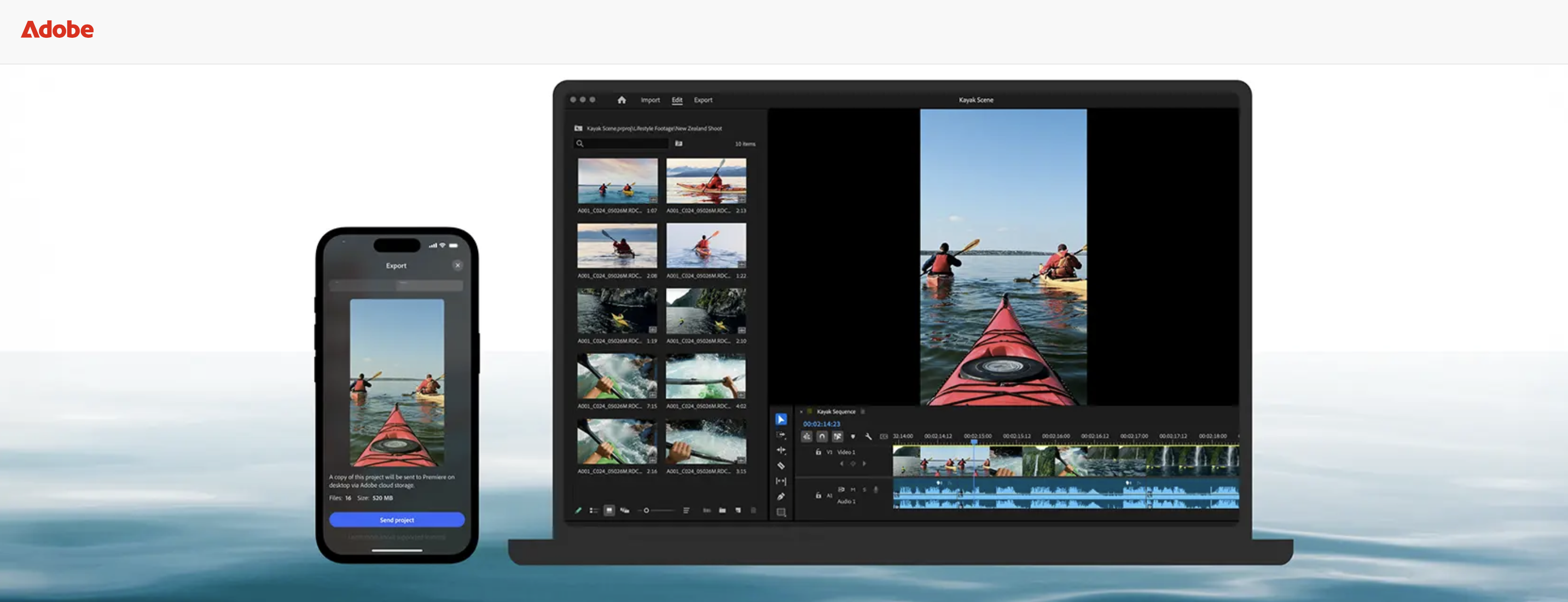
Adobe Premiere Pro remains the industry standard for professional video editing. If you have seen a YouTube video, a commercial, or a documentary in the last decade, there is a strong chance it was cut in Premiere.
As far as clipping software goes, Premiere offers absolute control. Multi-cam editing, nested sequences, advanced color grading, audio mixing, and integration with After Effects and Audition make it the most powerful option on this list. The 2025 and 2026 updates added AI-powered scene detection and auto-captioning, which speed up the clipping workflow significantly.
The tradeoff with Adobe is complexity. Premiere's interface was built for professional editors, not for creators who need to push out 5 Reels before lunch. The subscription model ($22.99/month for the single app or $59.99/month for Creative Cloud) adds up, especially for creators who only need basic clipping functionality.
Best for: Professional editors and creators with existing Adobe workflows who need maximum control over every frame.
3. DaVinci Resolve
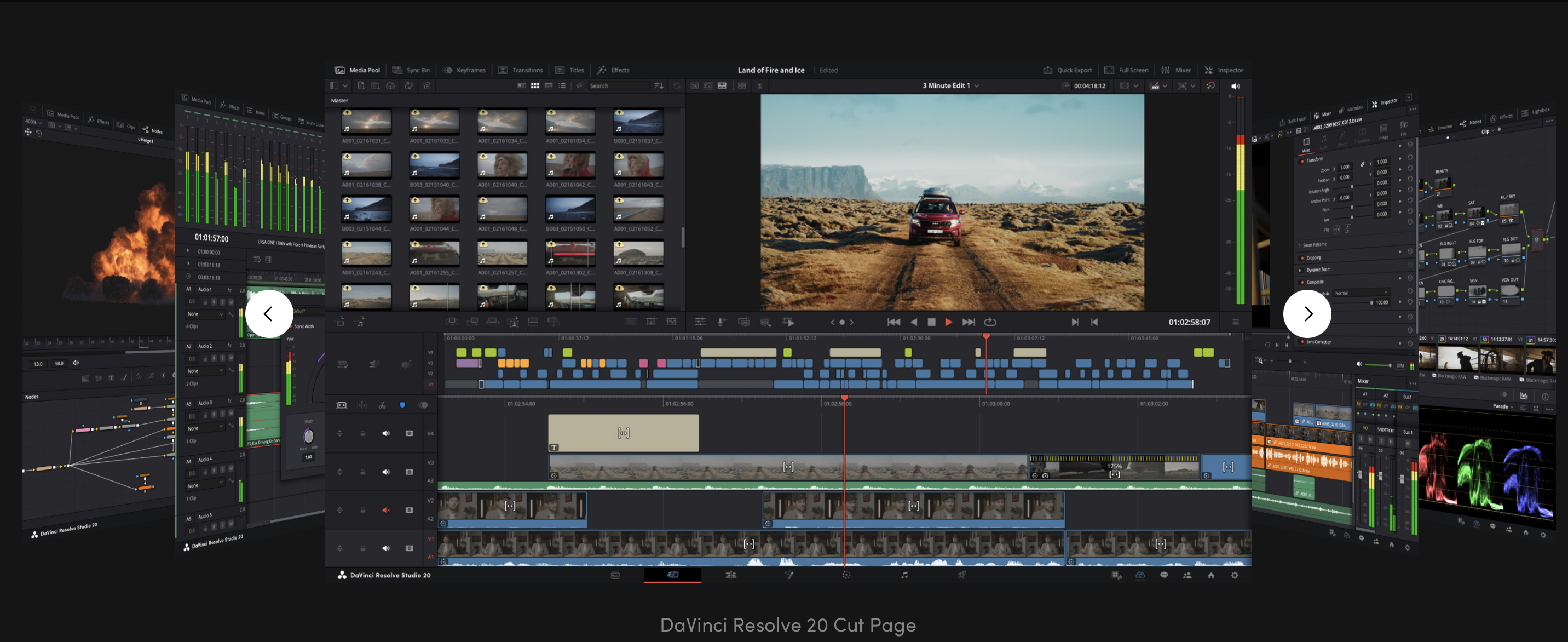
DaVinci Resolve from Blackmagic Design one of the best free clipping software options available. The free version includes tools that compete directly with Premiere Pro, including advanced color grading that many colorists consider superior to Adobe's.
For clipping workflows, Resolve offers the same timeline-based approach as Premiere. Its Fusion page handles motion graphics, the Fairlight page covers audio, and the Cut page was specifically designed for fast, efficient editing of short clips. The Cut page is worth highlighting because Blackmagic built it for exactly this use case: rapid assembly of short-form content from longer footage.
The downsides are practical, not technical. Resolve is resource-hungry. It wants a dedicated GPU, and it will punish underpowered laptops. The learning curve is steep, though slightly less intimidating than Premiere for beginners who start on the Cut page. For creators who just need to trim clips and add captions, Resolve is overkill. It is a full post-production suite disguised as a free download.
Pricing: Free version includes nearly all editing features. DaVinci Resolve Studio costs $295 as a one-time purchase and adds neural engine AI tools, HDR grading, and multi-GPU support.
Best for: Creators who want Premiere-level power without monthly subscription costs and have the hardware to run it.
AI-Powered Clipping Software Tools
These clipping software tools use artificial intelligence to identify the best moments in existing footage and automatically generate short clips. They dramatically reduce the time between "I have a long video" and "I have 10 clips ready to post."
4. Opus Clip
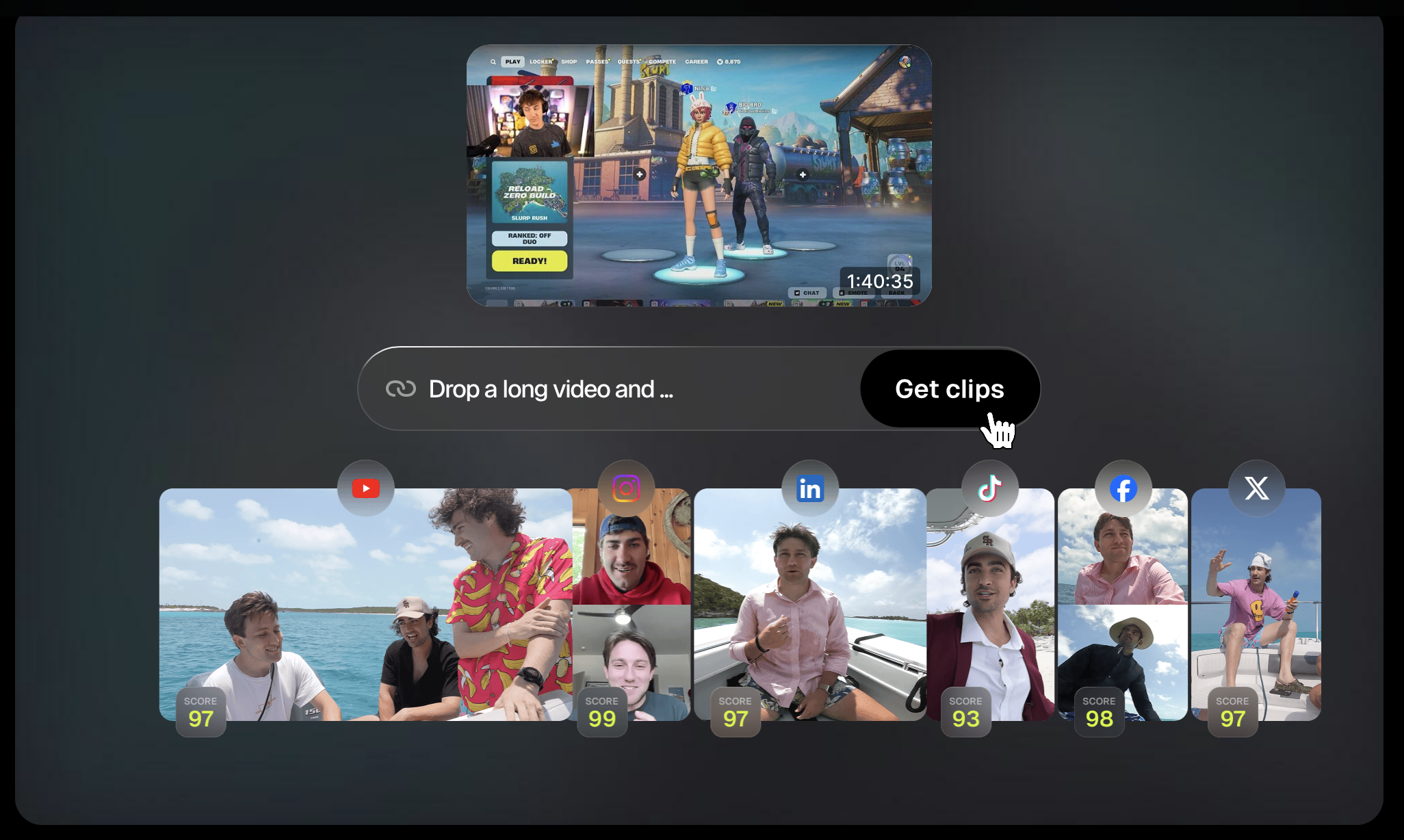
Opus Clip is built around one core promise: upload a long video, and AI will find the most compelling moments and clip them automatically. The platform analyzes speech patterns, audience engagement predictors, and content structure to identify highlight-worthy segments.
The workflow is fast. Upload a podcast episode or YouTube video, wait a few minutes, and receive a batch of clips ranked by predicted virality. Each clip comes with auto-generated captions, smart framing for vertical formats, and a "virality score" based on Opus Pro's proprietary model. The company claims its AI-selected clips receive 2 to 3 times more views on average than randomly selected segments.
Opus Clip works well for podcasters, interviewers, and YouTubers who produce talking-head or conversation-based content. The clipping software is less effective with B-roll-heavy videos, tutorials with screen recordings, or content that relies heavily on visual context rather than speech.
The fundamental constraint is that Opus Clip only works with existing footage. If you do not already have a long-form video to clip from, the tool has nothing to work with. It accelerates repurposing but does not solve the original content creation problem.
Pricing: Free tier offers limited exports. Starter plans begin at $15/month, while Pro plans scale up to $29/month for higher volume and additional features.
Best for: Podcasters and YouTubers who want to turn existing long-form content into dozens of short clips with minimal effort.
5. Descript
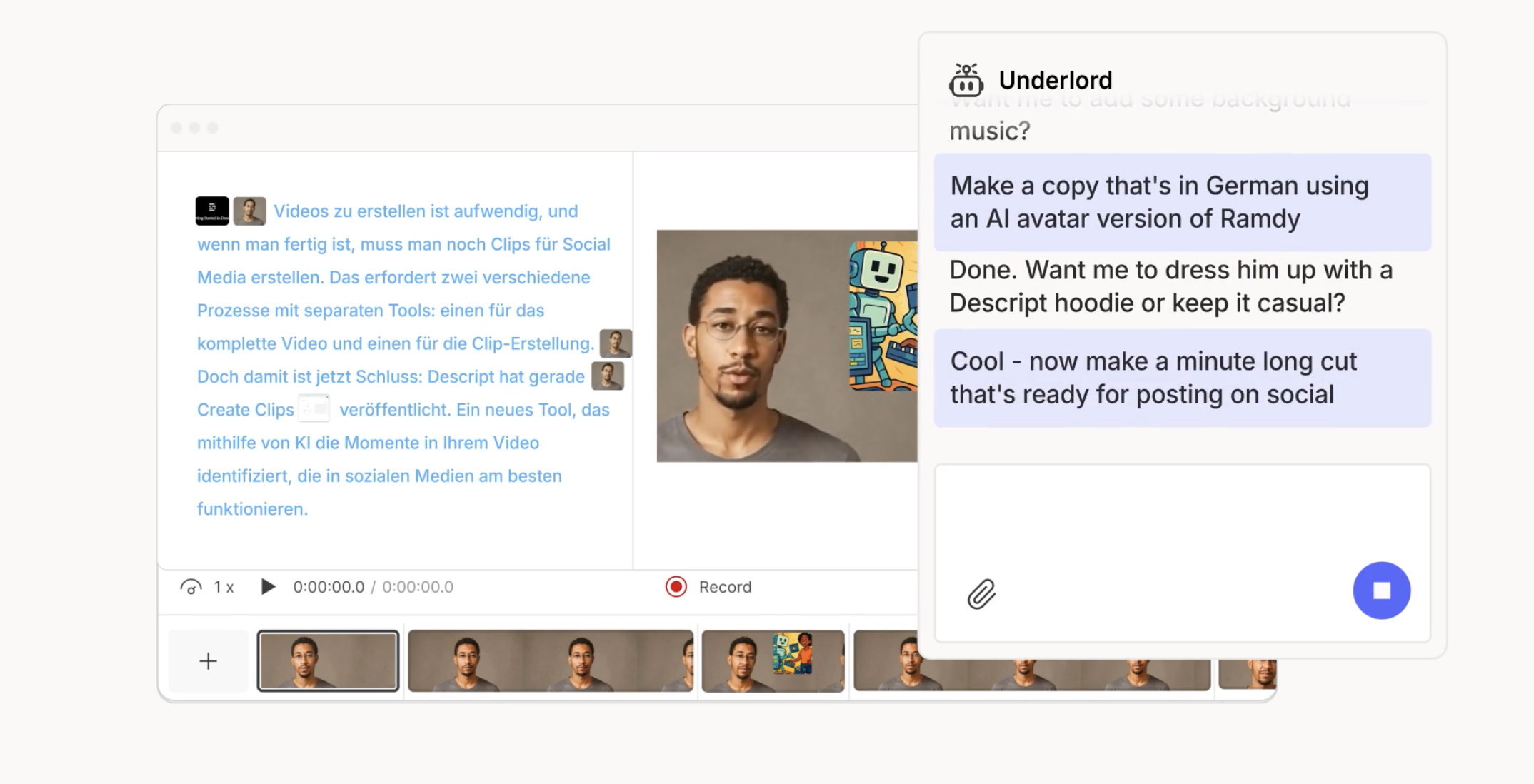
Descript pioneered text-based video editing. Instead of dragging clips on a timeline, you edit a transcript. Delete a sentence from the text, and the corresponding video segment disappears. It is the closest anyone has come to making video editing feel like writing a document.
For clipping, this approach is remarkably intuitive. Read through the transcript of a podcast or interview, highlight the best sections, and export them as individual clips. Descript handles captions, filler word removal (automatically cuts "um," "uh," and dead air), and basic visual formatting. The studio sound feature cleans up audio quality using AI, which is particularly useful for clips pulled from casual recording environments.
Descript also includes a screen recording tool, making it useful for tutorial creators who want to clip segments from longer walkthroughs.
Where Descript falls short is in advanced video editing. Color grading, complex motion graphics, and multi-layer compositing are not part of the package. It is a clipping and editing tool first, and it stays in that lane. Creators who need polished, visually dynamic clips will still need a traditional editor for the final pass.
Pricing: Free tier with limited transcription hours. Pro starts at $24/month with 30 media hours per month and 800 AI credits.
Best for: Podcast creators, interview-based content producers, and anyone who prefers editing text over editing timelines.
6. Vizard
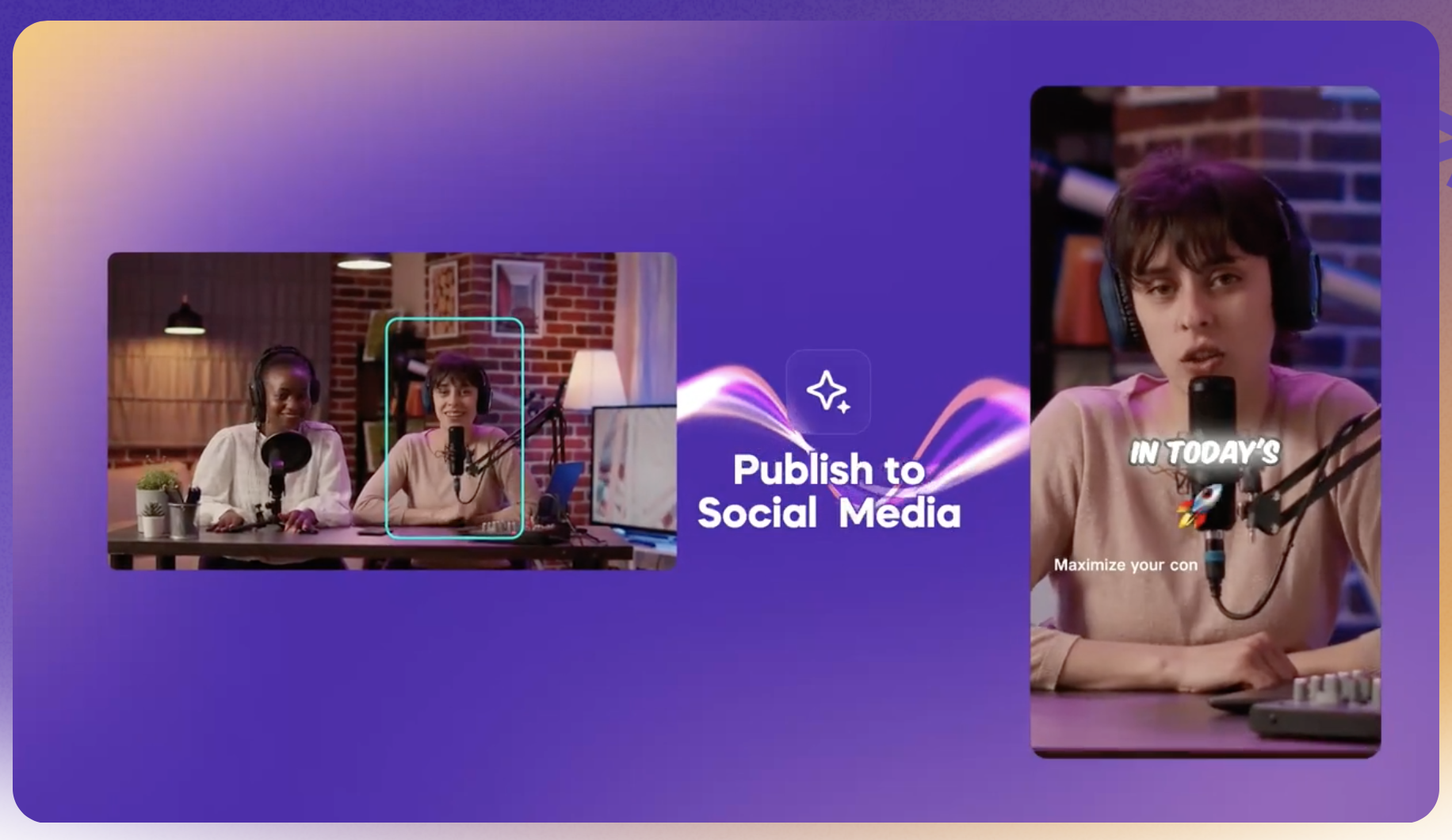
Vizard focuses specifically on the batch clipping workflow. Upload a long video, and the AI breaks it into multiple short clips with auto-framing, captions, and platform-specific aspect ratios. It is similar to Opus Pro in concept but differentiates through its emphasis on volume and speed.
The platform supports direct uploads and can pull from YouTube URLs. Processing is fast, with most videos generating clips within a few minutes. Vizard's smart framing tracks the active speaker and reframes the video for vertical formats, which is a significant time saver for creators who record in landscape but post in portrait.
Vizard also offers a collaboration layer, making it useful for teams. An editor or social media manager can review AI-generated clips, make adjustments, and schedule them for publishing. The batch workflow is where Vizard delivers the most value.
The same limitation applies as with Opus Pro: output quality depends entirely on source material. Vizard cannot improve bad footage, unclear audio, or unstructured content. It works best with well-recorded, speech-driven content where the AI can reliably identify strong segments.
Pricing: Free tier with watermarks and limited clips. Paid plans start at $29/month for higher volume content and watermark removal.
Best for: Teams and creators who need high-volume batch clipping from existing long-form content.
AI Video Generation (Next Generation Clipping Software)
The clipping software tools above all share one assumption: you already have video footage to work with. You record first, then clip.
A newer category of tools removes that assumption entirely. Instead of clipping from existing content, AI video generators create new clips from text, images, or minimal input. This is where the clipping software landscape is heading.
7. Argil
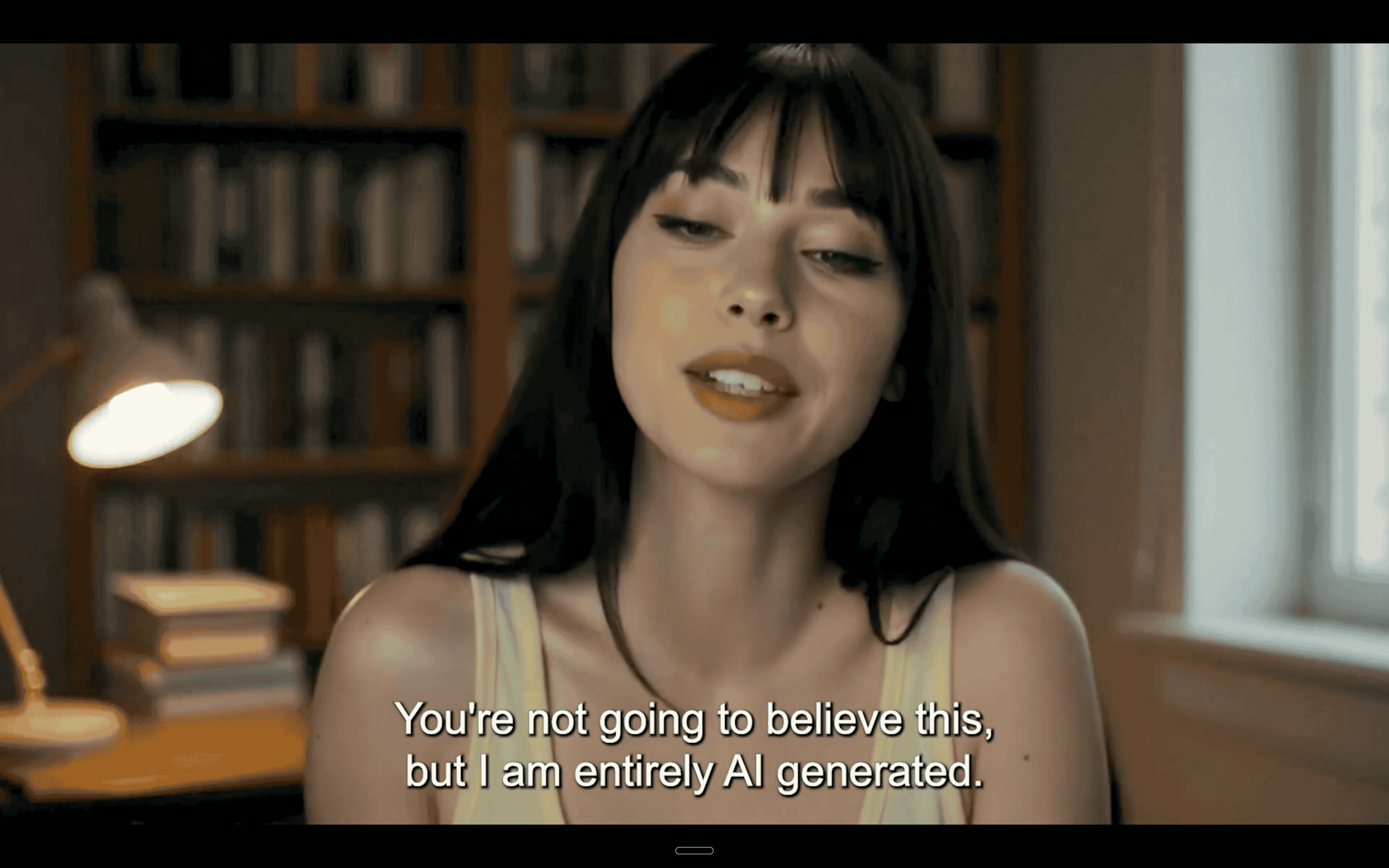
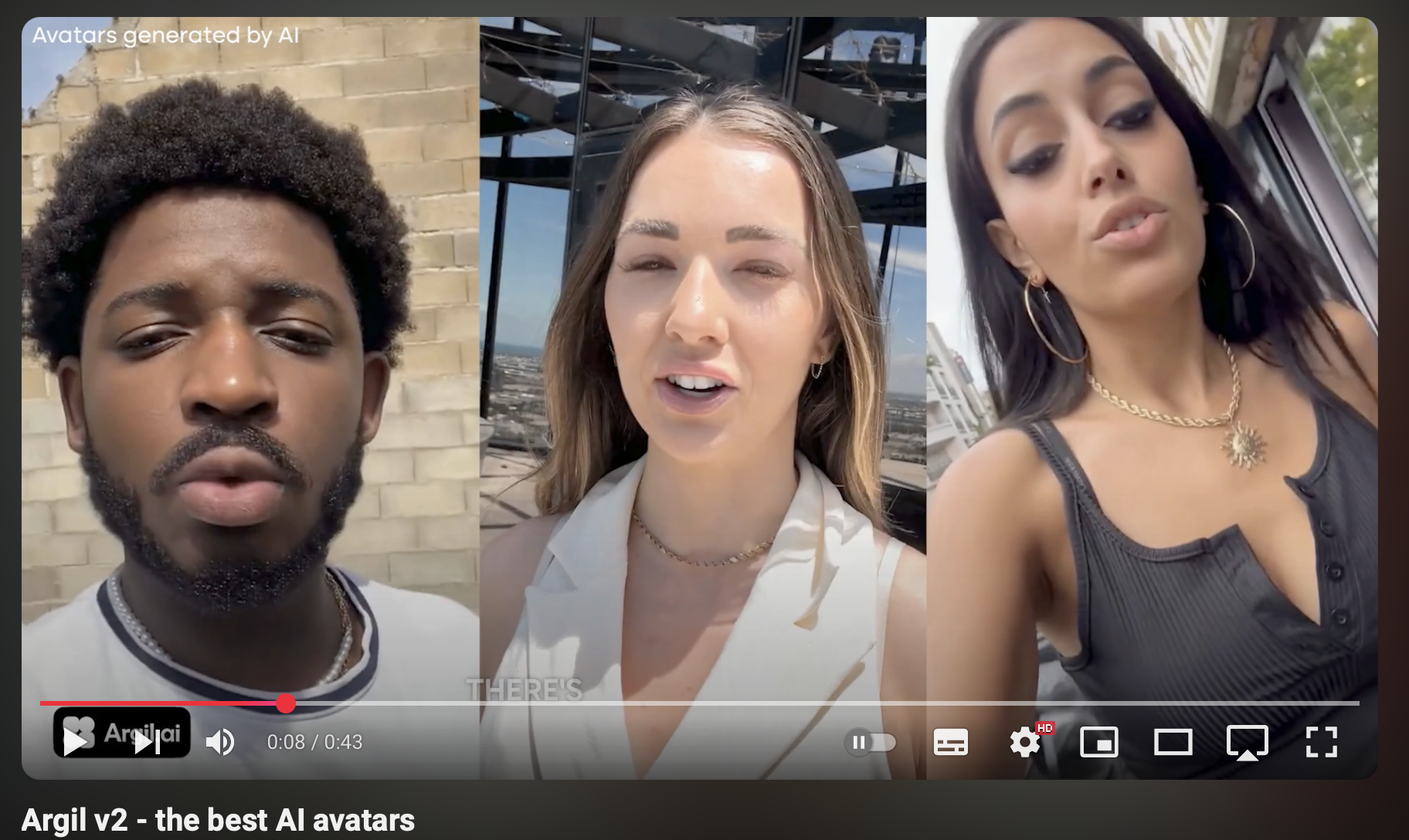
Argil represents a fundamentally different approach to creating short-form video clips. Instead of extracting highlights from existing footage, you generate new videos from scripts using a personal AI clone. The setup takes about two minutes: record a short training video of yourself speaking, and Argil builds a digital replica that matches your appearance, mannerisms, and speaking patterns.
From that point, the clipping workflow inverts. Rather than recording a long video and hoping the AI finds good moments, you write the scripts for exactly the clips you want and let Argil produce them. Each script becomes a fully edited short-form video featuring your AI clone, complete with captions, transitions, and formatting for whatever platform you are targeting.
This matters because it eliminates the two biggest constraints in traditional clipping. First, you are no longer limited by the footage you have already recorded. A creator with 50 script ideas can produce 50 clips without turning on a camera. Second, you are not dependent on AI correctly identifying "the best moments." You decide what each clip says because you wrote it. The AI handles everything downstream: recording, editing, captioning, and formatting.
The production speed difference is significant. Where a traditional clipping workflow might produce 3 to 5 finished clips per hour, Argil users can generate 10 to 15 clips per hour since the bottleneck shifts from editing to writing. For creators who are comfortable writing scripts (or who use AI writing assistants to draft them), this removes the production ceiling entirely.
Argil also builds the full editing pipeline into the platform. You are not exporting raw AI-generated footage and then importing it into Premiere or CapCut for post-production. Captions, B-roll overlays, pacing adjustments, and platform formatting happen inside Argil. The output is a publish-ready clip. For a deeper look at how AI video generation has evolved to this point, Argil's overview of what's new in AI video generation covers the key trends shaping the space in 2026.
The use cases extend well beyond content creators posting to social media. Real estate agents use Argil to generate personalized property walkthrough clips at scale. Lawyers produce short explainer videos on legal topics without blocking out filming time. SMBs create ad creative and product announcements without hiring a production team. A recent internal analysis showed that Argil users who post AI-generated clips consistently grow their LinkedIn following 2 to 4 times faster than those posting text-only content!
For creators exploring whether they even need to be on camera at all, the guide on how to create video content without being on camera walks through the options. Argil sits at the intersection: you appear on camera through your AI clone, but you never actually sit down to film after the initial two-minute training session.
So where does Argil fit if you are comparing it to traditional clipping tools?
Argil doesn’t replace Premiere Pro for a filmmaker editing a documentary. It does not replace Opus Pro for a podcaster who already has 200 episodes of footage to clip from. What it replaces is the assumption that video clips require video footage. For creators, personal brands, and businesses where the goal is consistent short-form video output without a production team, Argil removes the bottleneck entirely. The comparison of UGC video production tools breaks down how Argil stacks up against other AI video platforms on pricing and features.
Pricing: Free trial available. Paid plans scale based on video output volume, staring at $39/month.
Best for: Content creators, personal brand builders, real estate agents, lawyers, and SMBs who want to produce short-form video clips from scripts without recording new footage.
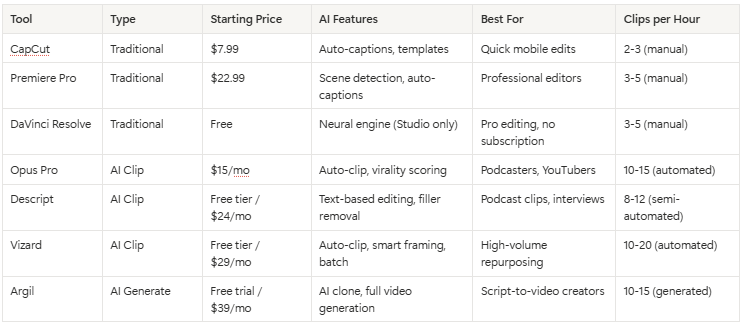
Comparison Table
How to Choose the Right Clipping Software
The best tool depends on what you are starting with and what you need to produce.
If you already have long-form video footage and want to extract the best moments, Opus Pro or Vizard will save you the most time. Both automate the identification and formatting process. Choose Opus Pro if virality scoring matters to you. Choose Vizard if you need batch volume and team collaboration.
If you want full creative control over every cut, transition, and color grade, Premiere Pro or DaVinci Resolve are the right picks. Premiere if you want the industry standard ecosystem. Resolve if you want to avoid monthly fees.
If you work primarily with podcasts or interviews, Descript's text-based editing is the fastest path from raw recording to polished clip. Reading a transcript is faster than scrubbing a timeline.
If you need video clips but do not have footage to clip from, Argil is the only tool on this list that generates new videos from scripts. For creators and businesses that want to post consistently without a production schedule, this is the category to explore. The guide on how to become a content creator in 2026 goes deeper on building a sustainable content workflow.
If you are just getting started and want something free with no learning curve, CapCut covers the basics. It will not scale with you forever, but it is the lowest-friction entry point.
Most serious creators end up using two tools: one for generating or identifying clips, and one for final polish. The combination of an AI tool (Opus Pro, Vizard, or Argil) plus a lightweight editor (CapCut or Descript) covers the full pipeline from idea to published clip.
FAQ
What's the best free clipping software in 2026?
CapCut offers the most complete free experience for basic clipping, with templates, auto-captions, and direct social export. DaVinci Resolve is the best free option for creators who want professional-grade editing power and are willing to learn a more complex interface. Opus Pro and Vizard both offer limited free tiers that let you test AI clipping before committing to a paid plan.
Can AI clipping software replace a video editor?
For straightforward short-form content like podcast clips, talking-head highlights, and social media Reels, AI clipping tools can handle 80 to 90% of the work that a human editor would do. They fall short on creative storytelling, complex visual effects, and content that requires subjective editorial judgment. The practical answer for most creators: AI handles volume, a human handles polish on the clips that matter most.
What's the difference between clipping software and video editing software?
Video editing software (Premiere Pro, DaVinci Resolve) is designed for full post-production workflows. Clipping software is a narrower category focused specifically on extracting or creating short segments from longer content. Many AI clipping tools (Opus Pro, Vizard, Argil) include enough built-in editing that you never need to open a separate editor. Traditional editors can clip, but they were not optimized for that specific workflow.
How do I clip YouTube videos into Shorts automatically?
Upload your YouTube video to Opus Pro or Vizard, and the AI will identify the strongest segments, reformat them for vertical (9:16), add captions, and export them as Shorts-ready clips. Both tools accept YouTube URLs directly. For creators who want to convert YouTube videos into new content formats, there are additional approaches beyond simple clipping.
Can you create clips without having existing video footage?
Yes. AI video generation tools like Argil create clips from text scripts rather than existing footage. You train an AI clone with a short video of yourself, then write scripts for the clips you want. The AI generates a video of your clone delivering each script, with editing, captions, and formatting included. This is fundamentally different from traditional clipping, which always requires source footage as a starting point.
What clipping software do professional content creators use?
It depends on the creator's niche and team size. Solo creators tend toward AI-powered tools (Opus Pro, Descript, Argil) because speed and volume matter more than pixel-perfect editing. Creators with dedicated editors typically use Premiere Pro or DaVinci Resolve for the edit, with AI tools handling the initial clip identification. The trend across the industry is toward hybrid workflows where AI does the heavy lifting and humans make the final creative decisions.
Related Articles
- What's New in AI Video Generation? Key Trends and Tools to Watch in 2026
- How to Become a Content Creator in 2026 (And Why AI Limitations Matter More Than You Think)
- How to Create Video Content Without Being on Camera (Beginner-Friendly Guide)
Compare the best clipping software tools for short-form video creation in 2026