How to Upload a YouTube Short at Scale: 8 Best Tools (2026)
Comparing 8 tools to create and upload a YouTube Short at scale in 2026, with live pricing, workflows, and the best fit for daily creators.
Article Highlights
- Create and upload a YouTube Short at real volume
- 8 tools ranked for Shorts cadence in 2026
- Live pricing for every tool, verified at publish
- Best picks for podcasters, founders, and agents
- Where each tool breaks at 5 Shorts a week
- Argil turns one clone into daily Shorts
How to Upload a YouTube Short at Scale: 8 Best Tools (2026)
Uploading a single YouTube Short takes about 2 minutes. Producing 5 a week, every week, is where almost every creator stalls. The mechanics of how to upload a YouTube Short are trivial now. The hard part is feeding the machine, because Shorts pulls more than 200 billion views a day and rewards the channels that show up daily over the ones that post once and wait (ShortsIntel, 2026).
The upload button is the easy part. What this guide actually solves is the production side, the 8 tools that let you create and upload a YouTube Short at a pace the algorithm respects. I have run all 8 across real creator workflows, and I will be honest about where each one helps and where it quietly costs you a full work day per clip.
How we picked the 8 tools that move Shorts volume in 2026
A tool earns a spot here only if it clears 4 bars. First, it has to output a 9:16 video under 60 seconds that uploads cleanly with no manual reformatting. Having to re-crop every clip by hand defeats the point, since that is manual labor dressed up as a workflow.
Second, it has to support at least 5 Shorts a week without eating a full day per Short. Third, it has to own either the creation side (script or clip to video) or the upload side (scheduling, hashtags, thumbnails) at a level one founder or a small team can actually run. Fourth, the entry tier has to land under $100 a month so a solo creator or SMB can start without a finance conversation.
A few obvious names got cut. Adobe Premiere is overkill for short-form and slows you down, and Final Cut Pro is Mac-only and built for single long-form outputs. CapCut for Business leans TikTok-walled, while Canva video can make a clip but its output quality does not hold up across sustained Shorts.
OpusClip
OpusClip is the long-form-to-Shorts machine. You hand it a podcast, webinar, or livestream and it auto-clips the recording into multiple vertical cuts, each with captions, reframing, and an AI virality score so you know which ones to ship first.
Turn one video into viral Shorts—auto-clipped, captioned, reframed, and ranked so you post the best first. Image source: Blog IA
The feature set is built around extraction: AI clip selection, auto reframing to 9:16, animated captions, a custom branding kit, B-roll suggestions, and multi-language captions. On pricing, the OpusClip plans run a free tier with watermark, Starter at $15 a month, Pro at $29 a month, and a custom Business tier for teams that need API access and SSO.
The workflow is fast. Paste a YouTube URL or upload a long video, wait 5 to 10 minutes, and you get 10 to 30 candidate clips ranked by score. You trim each one in their editor and export 9:16 with a click. That makes it ideal for podcasters, webinar hosts, and anyone already producing 30-plus minutes of long-form weekly who wants to fan it out into a week of Shorts.
The weak spots are real. OpusClip cannot create content from scratch, so if you do not already have long-form, it has nothing to clip. The virality score is directional, not predictive, and every clip needs an editorial trim for tone before it goes live. For a deeper look at where it shines and where it falls short, see this breakdown of Opus Clip alternatives for creators.
Submagic
Submagic does one job extremely well: it makes footage you already shot look broadcast-grade. You film yourself on a phone, and Submagic handles the captions, b-rolls, sound effects, and zoom emphasis cuts that would otherwise keep you in a timeline for 45 minutes.

Make your phone footage look broadcast-ready. Submagic auto-adds captions, b-roll, SFX, and punchy zoom cuts—no 45-minute edit needed. Image source: Les Wizards
Its strengths are animated captions in 100-plus languages, auto b-roll, emphasis edits, custom caption styles, and batch processing. The Submagic pricing is Starter at $19 a month for 15 videos, Pro at $39 a month for 40 videos, and Business plus API at $69 a month for 100 videos, with steeper limits on clip length per tier.
The workflow is simple. Upload a raw vertical clip, pick a caption style template, let the AI generate captions and layer in b-roll and emphasis edits, then review and export 9:16. If you record yourself daily, this collapses the post-production from 45 minutes to about 5 minutes per Short.
The catch is the dependency. Submagic starts from your footage, so if filming is your bottleneck, it does not help you, it just polishes faster. AI b-roll quality also swings by niche, strong for business talk, thinner for specialized topics. Argil's team has written about closing that footage gap in a piece on going one step beyond Submagic.
Captions
Captions is an AI editing app aimed squarely at talking-head creators. Its signature trick is AI eye contact correction, which keeps you looking at the camera even when you are reading a script off the screen. For founders and experts who read while filming, that one feature changes the output.
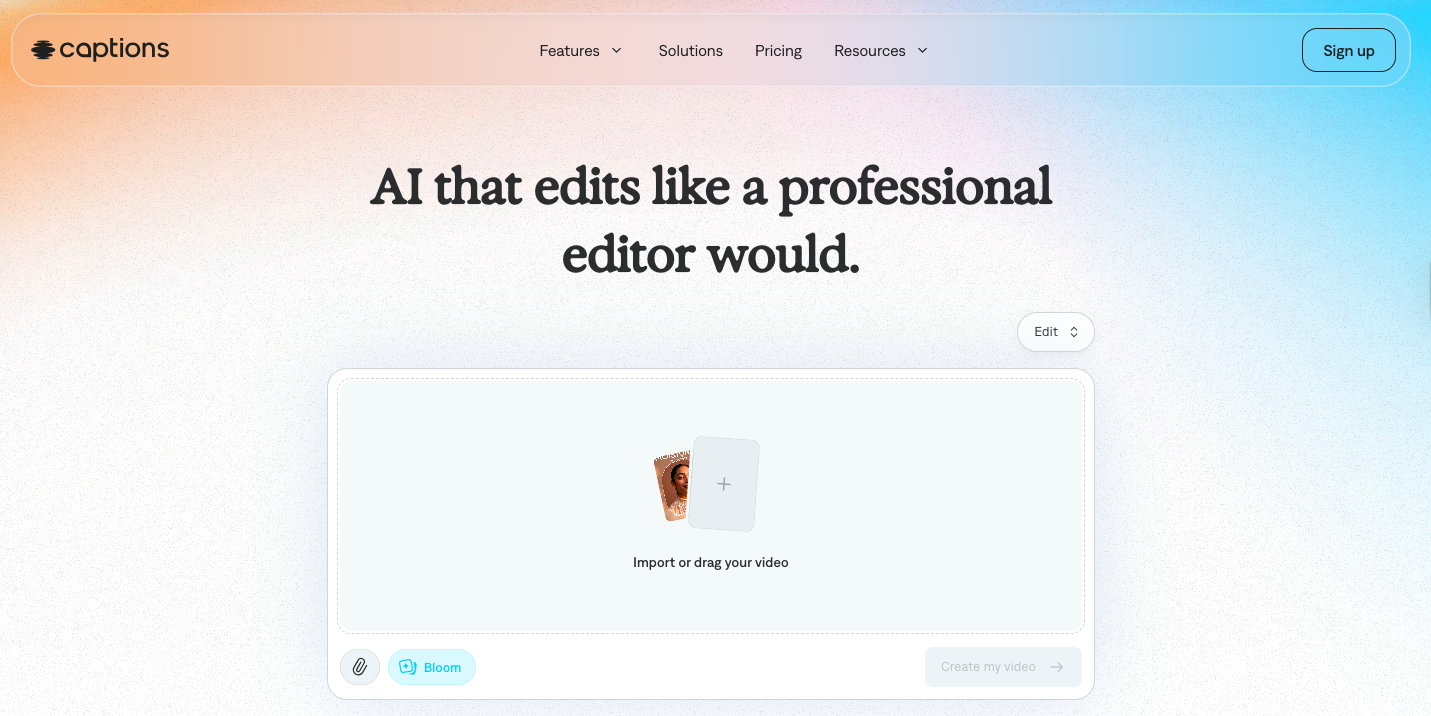
Image source: Captions
You also get AI captions, AI b-roll, voice clone, AI talking image, autocut, and multilingual dubbing. On price, the Captions plans start at Max for $24.99 a month with 500 credits, then scale through Scale 1x at $69.99 a month for 1,400 credits up to higher Scale tiers for heavy output.
Workflow is record-in-app or upload, pick an edit style, and the AI runs captions, eye contact, and b-roll automatically before you export 9:16. Best fit is the founder who films but refuses to learn a timeline editor. The eye-contact layer alone justifies it for script-readers.
Where it lags is on depth. The AI b-roll leans on generic stock, and the voice clone wants more training data than rivals do. Its script-to-video flow is also thinner than what dedicated AI clone tools offer.
HeyGen
HeyGen is the avatar route. You train an avatar of yourself or pick from the stock library, feed it a script, and get a video of that avatar reading your words. No camera required for any individual clip after setup.
The platform brings 500-plus stock digital twins, custom avatar training, voice clone, 175-plus languages, video translation, AI templates, and Shorts-ready 9:16 output. The HeyGen pricing runs a free tier with 3 videos a month, Creator at $29 a month, and a Business plan at $149 a month plus per-seat fees, with the older Team plan being retired in 2026 (eesel AI, 2026).
The workflow is one-time avatar training with about 2 minutes of footage, then write a script, pick the avatar and voice, generate, and export 9:16. That makes it a strong fit for B2B SaaS founders, course creators, and corporate comms teams that need a consistent brand presence without filming on repeat.
The honest limitations: avatars still read slightly synthetic at close range, mouth sync can drift on fast speech, and editing the generated video is constrained, so dropping b-roll mid-clip is awkward. If you are weighing avatar tools, this rundown of the best HeyGen alternative for creators lays out the tradeoffs.
CapCut
CapCut is the free editor most Shorts creators already have open. Owned by ByteDance, it is genuinely full-featured at zero cost, which is why it became the default for phone-first editing.
It packs a timeline editor, AI auto-captions, templates, transitions, filters, voice effects, AI background removal, and text-to-speech. Pricing stayed free for almost everything until a 2026 restructure: the previous Pro tier became Standard at $9.99 a month, and a new Pro tier landed at $19.99 a month with 4K export and the full AI toolkit (CapCut pricing, 2026).
You import a clip, edit on the timeline or start from a template, add captions and effects, export 9:16 vertical, and upload to Shorts from your phone. It suits solo creators and SMBs who want pixel-level control without paying, and anyone shooting and editing on one device.
The cost is time and trust. Editing per Short runs 30 to 60 minutes, there is no AI script-to-video, and ByteDance ownership keeps surfacing data questions tied to the ongoing US divestment saga, which Argil's team has tracked in a note on whether CapCut is getting banned.
VN Editor
VN Editor is the CapCut alternative for people who want the power without the ByteDance baggage. It is a professional-grade mobile editor with desktop sync, a tighter interface, and far less template clutter.
Features include a multi-track timeline, keyframe animation, color grading, audio mixing, a royalty-free music library, and project sync across iPhone, Android, and desktop. On price it is the easiest line item in this guide: VN is fully free with no watermark and no upsells on its core editor as of 2026 (Splice, 2026).
The flow is import a clip, edit on a more pro-style timeline than CapCut, export 9:16, sync across devices, and upload to Shorts. It is built for editors and prosumers who want CapCut's capability minus the data concerns, or anyone running a strict zero-budget stack.
Tradeoffs: a smaller template library, a less aggressive AI feature set, including no auto-captions in some regions, and a steeper learning curve if you are not already comfortable editing.
Riverside (recording to Shorts)
Riverside earns its place by making Shorts a byproduct of recording rather than a separate task. It captures remote video at up to 4K locally per participant, then its AI surfaces clip-worthy moments for short-form.
Its toolkit covers local high-quality recording, AI clip detection, auto captions, a magic editor, audio enhancement, a brand kit, and 9:16 clip export. The Riverside pricing runs a free tier with a watermark, Pro at $24 a month for 15 hours of multi-track recording, and Live at $34 a month for streaming features, plus higher tiers for webinars and business.
The workflow is record your interview or solo session inside Riverside, let the AI flag clip-worthy moments, override its picks as needed, and export each as a captioned 9:16 Short. That makes it a natural fit for podcasters, interviewers, and content teams who want Shorts to fall out of every recording session automatically.
The constraint is scope. Riverside only helps if you record inside it, since it cannot process external footage well, and its clip detection is conservative on solo monologues where the best moments are subtler.
Argil
Argil is the only tool on this list built around the exact problem that kills most Shorts channels: cadence. The others either need footage you have to shoot or long-form you have to record first. Argil removes the camera from the weekly loop entirely. You upload a single 2-minute clip of yourself once, the platform builds an AI clone you fully control, and from then on you generate finished short-form videos from scripts on demand. This is the tool you reach for when the bottleneck is not editing speed but the sheer cost of producing 20-plus Shorts a month while running a business.
Features
The 2-minute clone setup is the whole pivot. You record one training clip, ever, and the platform builds a version of you that you direct end-to-end. After that, the core loop is script-to-video: paste a script or generate one inside Argil, pick your clone and voice, and render a complete short-form video.
The full editing pipeline is baked in. Captions, b-rolls, transitions, zooms, and emphasis edits apply automatically, so there is no separate Submagic or CapCut step bolted on afterward. Argil also does multi-aspect rendering: the same script can output as 9:16 for Shorts, Reels, and TikTok, plus 1:1 for LinkedIn and 16:9 for YouTube long-form, in one render. And the cadence engine lets you queue 5 to 10 scripts in a single session and get every video back within hours, ready to schedule across the week.
Pricing
The Argil pricing is tiered around monthly credits, which map roughly to video minutes. Classic is $39 a month for about 25 minutes of finished video, Pro is $149 a month for about 100 minutes, and Scale is $499 a month for high-volume output with multiple seats. That puts Argil's Classic tier at $39 a month against HeyGen's Creator plan at $29 a month and Captions Max at $24.99 a month, with the difference being that Argil's price includes the full edit pipeline rather than just a generated avatar clip.
Workflow for daily Shorts
Here is the week in practice. Monday morning, you record one 2-minute clone training clip, which you never have to do again. Monday afternoon, you write or paste 5 scripts, one per planned Short, each 80 to 150 words so the finished video lands under 60 seconds.
Then you render. The 5 Shorts come back within an hour, fully edited with captions, b-roll, and 9:16 framing. You skim each one, tweak a script or re-render any clip that needs a different take, and drop the batch into the YouTube Studio queue or a scheduler. Total time for 5 Shorts a week is roughly 45 to 75 minutes, most of it spent writing, against the 5 to 10 hours a film-and-edit workflow would burn. If you want the broader version of this approach, Argil's guide to automating short-form videos walks through the full system.
Best for
Argil fits founders building a personal brand on Shorts who cannot film 5 times a week. Real estate agents use it to produce market updates, listing breakdowns, and neighborhood content at volume. It works for lawyers and consultants who need to publish authority content but cannot sit on camera daily, and for SMB owners running content marketing as a one-person operation who want a scalable video version of themselves.
Weak spots (honest)
It is not the tool for vlog-style or motion-heavy Shorts. Cooking, travel, and fitness demos still want a real camera, because AI clones do their best work on talking-head, educational, and authority content. The clone also inherits whatever quality your training clip has, so weak phone audio or bad lighting at setup shows up in the output. And editorial review never goes away. Argil collapses the production time, but it does not replace your taste or judgment on what is worth saying.
Which tool fits your stack (decision framework)
The right pick depends almost entirely on where your bottleneck actually sits, so self-select honestly.
If you run podcasts or webinars over 30 minutes weekly, pair OpusClip with Submagic. Clip the long-form, polish the captions, and you can ship 10 Shorts a week off recordings you already make. If you film yourself on a phone daily and just need the output to look professional, Submagic or Captions will turn raw footage into broadcast Shorts in under 10 minutes each.
If you need a consistent AI brand voice across content, HeyGen handles avatar consistency for B2B and course creators, while Argil handles clone-based founder content where it has to look like you. If your work is remote interviews, record in Riverside for the capture quality and run OpusClip or Argil for the clip extraction and post.
If you have no budget and time to edit, CapCut or VN Editor on a phone give you full control for free, just slowly, at 30 to 60 minutes per Short. And if your real bottleneck is cadence, meaning you cannot film 5 times a week but you have to post that often, Argil is the only option here engineered around that exact constraint: clone once, ship daily from scripts. Creator-operators juggling multiple brands often run a hybrid, Argil for their own brand and an OpusClip plus Submagic stack for client work. Whatever you choose, set your export to 9:16 vertical and stay under 60 seconds, the spec covered in this guide to aspect ratios for vertical and horizontal video.
Frequently asked questions
Which AI tool produces the most realistic talking-head Shorts in 2026?
Argil and HeyGen lead the realism rankings for AI clones and avatars. Argil edges ahead on natural micro-expressions and gesture variety because it trains on the real you. HeyGen wins on the diversity of stock avatars when you do not want to appear at all. Captions sits a tier below on realism but adds the eye-contact correction layer for script-readers filming themselves.
Can I create YouTube Shorts entirely from text without filming anything?
Yes. With an AI clone tool like Argil or an avatar tool like HeyGen, you write a script and the platform renders a finished video of you or an avatar speaking it. No camera, no microphone, no editing software needed per clip. Argil asks for a single 2-minute training clip up front, while HeyGen lets you start immediately with stock avatars.
What does it cost to make 30 Shorts a month using AI tools?
Stack cost ranges from $0 on CapCut with all-manual editing up to roughly $50 to $150 a month for AI clone or avatar tools at a working tier. Argil Classic, HeyGen Creator, and Captions Max all sit in the $25 to $40 range at entry. Weigh that against the value of 30 consistent Shorts a month, which in most niches can drive serious reach when the cadence holds.
Do AI-generated Shorts get throttled by YouTube?
Authentic AI clones, trained on you and used by you, are allowed and not algorithmically throttled. Generic AI avatar content with no real creator behind it, the faceless-channel pattern, can get throttled or demonetized. The deciding factor is provenance, not the underlying technology.
Can I batch upload Shorts in advance?
Yes. YouTube Studio lets you schedule Shorts during the visibility step, setting a publish date and time well in advance. Schedulers like Buffer and Later also queue YouTube Shorts. A steady 1-a-day cadence at the same time slot for the first 90 days gives the algorithm a stable signal to learn from.
Do I need a separate editor on top of Argil or HeyGen?
Usually not with Argil, since it includes the full editing pipeline and exports upload-ready Shorts. HeyGen produces a clean avatar clip, but you may want Submagic or Captions on top for richer captions and b-roll. OpusClip output also benefits from a Submagic polish pass. Pick the stack based on whether your tool ends at a video or at finished short-form.
What aspect ratio and length do I export for Shorts?
9:16 vertical at 1080x1920 minimum, under 60 seconds. Most AI tools here default to those specs when you choose the Shorts preset. If you export from a generic editor, double-check the canvas size and trim before upload so the video does not get misclassified as long-form.
Related Articles
- The best clipping software for content creators in 2026
- How to make viral YouTube Shorts from blog posts
- 7 best AI video generators for content creators
The 8 best tools to create and upload a YouTube Short at scale in 2026.